







































Center G · ClassroomCenterG.comThe place to play free games!
How was it?
About TRAFFIC ESCAPE
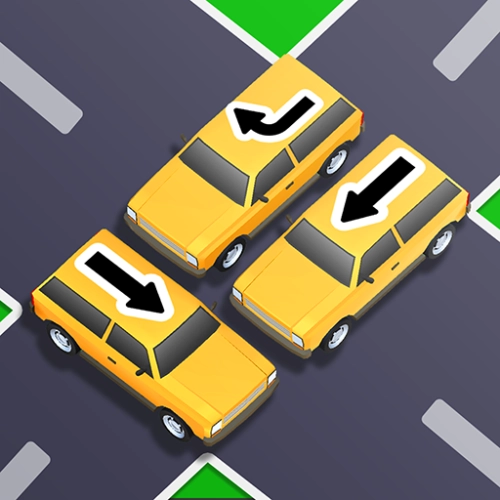
Traffic Escape! looks simple for, like, five seconds—and then your brain goes “wait… how do I get this VIP car out of this mess?” It’s a compact slide-puzzle where every tile is a vehicle, space is premium, and one wrong shuffle can jam the whole board. The goal is always the same—free the special car—but each level sneaks in new headaches like long trucks, one-way arrows, and sneaky choke points that force you to plan two or three moves ahead.
How it actually plays
You slide cars only along their lane (no diagonal cheese). On PC, click and drag; on mobile, tap and hold to move pieces. Early stages teach you basic clears; later ones feel like engineering problems. You’re not just moving one blocker—you’re creating a temporary pocket, staging a car there, rotating a truck out, then reclaiming the pocket so the exit lane opens. When a layout clicks, it’s super satisfying.
Tips that saved my sanity
Start at the finish: trace the VIP’s ideal path to the exit, then find the first real blocker in that path. Fixing that blocker usually collapses half the puzzle.
Create space first: short cars near corners are your best “pocket makers.” Free one and you suddenly have room to breathe.
Count your moves: if a move shrinks your total free squares, make sure it earns you position back within the next two moves—or reset before you paint yourself into a curb.
Respect the big boys: long trucks near the exit are priority; everything else can wait.
Why it’s addictive
Levels escalate cleanly from cozy parking-lot jams to gnarly multi-lane puzzles. The visuals stay clean so you can “read” boards fast, and the feedback loop is tight: try a line, spot a smarter line, shave off moves. Perfect for quick brain sprints between classes or a longer session where you hunt the cleanest solution.
Two more traffic-brain snacks:
• Turn Turn — time your lights and lane swaps to untangle moving traffic.
• Traffic Control — manage intersections without turning them into bumper salad.
Ready to thread the needle in Traffic Escape!? Find it (and tons more puzzles) on Classroom Center.
How it actually plays
You slide cars only along their lane (no diagonal cheese). On PC, click and drag; on mobile, tap and hold to move pieces. Early stages teach you basic clears; later ones feel like engineering problems. You’re not just moving one blocker—you’re creating a temporary pocket, staging a car there, rotating a truck out, then reclaiming the pocket so the exit lane opens. When a layout clicks, it’s super satisfying.
Tips that saved my sanity
Start at the finish: trace the VIP’s ideal path to the exit, then find the first real blocker in that path. Fixing that blocker usually collapses half the puzzle.
Create space first: short cars near corners are your best “pocket makers.” Free one and you suddenly have room to breathe.
Count your moves: if a move shrinks your total free squares, make sure it earns you position back within the next two moves—or reset before you paint yourself into a curb.
Respect the big boys: long trucks near the exit are priority; everything else can wait.
Why it’s addictive
Levels escalate cleanly from cozy parking-lot jams to gnarly multi-lane puzzles. The visuals stay clean so you can “read” boards fast, and the feedback loop is tight: try a line, spot a smarter line, shave off moves. Perfect for quick brain sprints between classes or a longer session where you hunt the cleanest solution.
Two more traffic-brain snacks:
• Turn Turn — time your lights and lane swaps to untangle moving traffic.
• Traffic Control — manage intersections without turning them into bumper salad.
Ready to thread the needle in Traffic Escape!? Find it (and tons more puzzles) on Classroom Center.
TRAFFIC ESCAPE is free to play on Classroom Center G. It loads fast, runs in your browser and works on school Chromebooks — perfect for a quick 5–10 minute break.






























Comments( 0 )