- Home
- Center G Games
- GLADIHOPPERS








































Center G · ClassroomCenterG.comThe place to play free games!
How was it?
About GLADIHOPPERS
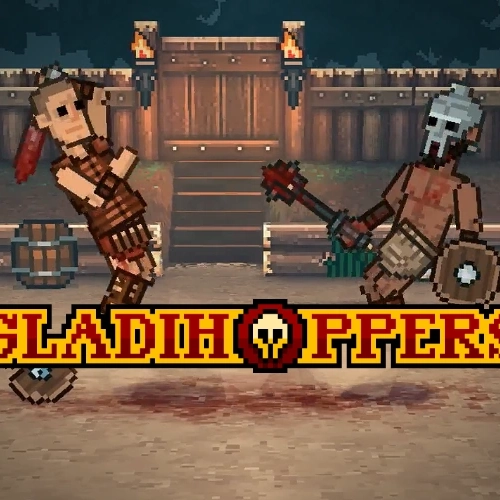
Gladihoppers looks like a floppy stick-fighter meme, but it secretly plays like a real duel. Every hop, swing, and block is physics-based, so your timing actually matters. Miss a slash and you’ll wobble; land a clean hit and you’ll send helmets flying and crowds (okay, me) yelling IRL.
How it plays
Controls are simple—move, jump, attack, block—but the trick is angle + momentum. Short hops set up quick jabs; long hops give you chunky overheads. Light weapons (daggers, short swords) are speedy and great for counter hits, while heavier stuff (spears, two-handers) trades speed for reach and KO power. Block too early and you’ll get your guard kicked open; wait a split second and you’ll stuff their swing and punish hard.
Modes & progression
Career Mode is the grind: you start with scrap gear, fight upward, and spend winnings on better weapons, armor, and perks. It’s not button-mash—reading distance and baiting jumps wins more than spamming. Quick Fight lets you jump into instant duels, and Arcade throws random loadouts at you so you learn to adapt. Upgrades lean into different playstyles: go nimble for chain hits or tanky for trades that end rounds fast.
Why it’s addictive
The ragdoll physics makes every round a highlight reel. One match you’re poking ankles and backstepping; the next you’re pogo-sticking a spear across the arena like a menace. And since it runs smooth in your browser, you can boot it from ClassroomCenterG.com between classes, snag a few wins, and dip.
Try-hard tips
• Hop into swings to add momentum for extra damage.
• Aim mid-body—headshots are hype but whiff city if you’re late.
• Don’t chase a backpedder: feint forward, plant, and meet them with a counter.
• After a blocked heavy, micro-hop jab—fast weapons steal turns here.
If you like Gladihoppers, you’ll vibe with:
• Stickman Warriors — snappy stick duels with slick counters.
• Rowdy Wrestling — ragdoll slams and rope-bounce chaos.
(Both are on our site.)
Bottom line: Gladihoppers is hilarious to watch and legit to master—the perfect combo of chaos and clutch reads.
Classroom Center
How it plays
Controls are simple—move, jump, attack, block—but the trick is angle + momentum. Short hops set up quick jabs; long hops give you chunky overheads. Light weapons (daggers, short swords) are speedy and great for counter hits, while heavier stuff (spears, two-handers) trades speed for reach and KO power. Block too early and you’ll get your guard kicked open; wait a split second and you’ll stuff their swing and punish hard.
Modes & progression
Career Mode is the grind: you start with scrap gear, fight upward, and spend winnings on better weapons, armor, and perks. It’s not button-mash—reading distance and baiting jumps wins more than spamming. Quick Fight lets you jump into instant duels, and Arcade throws random loadouts at you so you learn to adapt. Upgrades lean into different playstyles: go nimble for chain hits or tanky for trades that end rounds fast.
Why it’s addictive
The ragdoll physics makes every round a highlight reel. One match you’re poking ankles and backstepping; the next you’re pogo-sticking a spear across the arena like a menace. And since it runs smooth in your browser, you can boot it from ClassroomCenterG.com between classes, snag a few wins, and dip.
Try-hard tips
• Hop into swings to add momentum for extra damage.
• Aim mid-body—headshots are hype but whiff city if you’re late.
• Don’t chase a backpedder: feint forward, plant, and meet them with a counter.
• After a blocked heavy, micro-hop jab—fast weapons steal turns here.
If you like Gladihoppers, you’ll vibe with:
• Stickman Warriors — snappy stick duels with slick counters.
• Rowdy Wrestling — ragdoll slams and rope-bounce chaos.
(Both are on our site.)
Bottom line: Gladihoppers is hilarious to watch and legit to master—the perfect combo of chaos and clutch reads.
Classroom Center
GLADIHOPPERS is free to play on Classroom Center G. It loads fast, runs in your browser and works on school Chromebooks — perfect for a quick 5–10 minute break.
How to play
Move - w / a /s / d # Attack - arrow keys # Throw javelin - e # Switch stances: spacebar #


























Comments( 0 )