- Home
- Center G Games
- HERO 3 FLYING ROBOT








































Center G · ClassroomCenterG.comThe place to play free games!
How was it?
About HERO 3 FLYING ROBOT
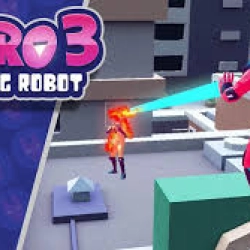
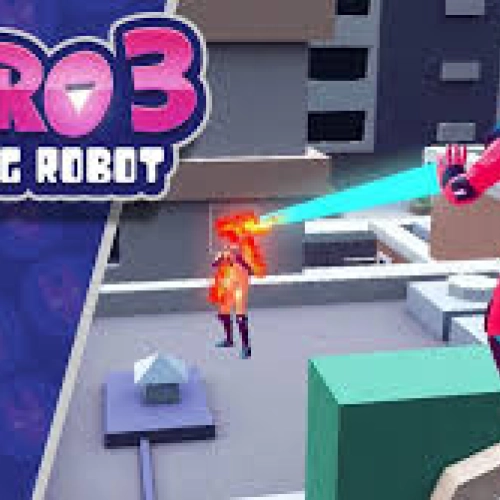
Hero 3: Flying Robot is the kind of game that makes you lean over your keyboard like a gremlin. You’re a jet-powered mech ripping through neon rooftops while missiles, drones, and grumpy gunships try to turn you into scrap. It’s fast, it’s loud, and when you thread a booster dash between two billboards without eating a rocket—chef’s kiss.
How it plays
Movement is everything. Boost for speed bursts, brake to stick tight turns, and use a short dash to juke lock-on missiles at the last second. Keep an eye on altitude and heat: climb to reset angles, but don’t cook your thrusters. Weapons feel distinct—beams melt targets if you manage heat, rails hit hard but need lead time, and micro-missiles are perfect for swarms. EMPs shut down pesky drones so you can dive for the core without getting peppered.
Loadouts that actually change your style
Assault: rapid cannons + missile pods for shredding crowds—watch your overheat bar.
Skirmisher: rail burst + extra dash—peek, pop, vanish like a rooftop ninja.
Control: EMP + flak + heavier shields—turn off their toys, then bully the lane.
Upgrades matter: targeting chips speed lock-ons, gyro suites calm your aim in turns, and thermal sinks let you beam longer before your wings sizzle. Cloak pairs hilariously well with melee—blink in, carve the vent, blink out.
Mission spice & bosses
One run might be escorting evac transports through ad-sign mazes; the next is a rooftop purge with wave timers. Bosses telegraph, but the patterns stack fast. Stun with EMP, strafe to expose vent banks, then dump payloads during staggers. Helicarriers love sweeping lasers—dip under, hug the hull, and declaw the engines one by one. If the chassis glows orange, back off—it’s overheating and about to tantrum.
Quick pilot tips
• Boost in “L” shapes to break locks, not straight lines.
• Save vertical dashes for ground AA—they struggle tracking up/down.
• Lead rail shots; lasers are hitscan, rails aren’t.
• If your HUD turns holiday red, cloak first, climb second.
Two related picks when you land:
• Hero 4: Claws
• Armed Forces IO
Play more like Hero 3: Flying Robot at Classroom G+.
How it plays
Movement is everything. Boost for speed bursts, brake to stick tight turns, and use a short dash to juke lock-on missiles at the last second. Keep an eye on altitude and heat: climb to reset angles, but don’t cook your thrusters. Weapons feel distinct—beams melt targets if you manage heat, rails hit hard but need lead time, and micro-missiles are perfect for swarms. EMPs shut down pesky drones so you can dive for the core without getting peppered.
Loadouts that actually change your style
Assault: rapid cannons + missile pods for shredding crowds—watch your overheat bar.
Skirmisher: rail burst + extra dash—peek, pop, vanish like a rooftop ninja.
Control: EMP + flak + heavier shields—turn off their toys, then bully the lane.
Upgrades matter: targeting chips speed lock-ons, gyro suites calm your aim in turns, and thermal sinks let you beam longer before your wings sizzle. Cloak pairs hilariously well with melee—blink in, carve the vent, blink out.
Mission spice & bosses
One run might be escorting evac transports through ad-sign mazes; the next is a rooftop purge with wave timers. Bosses telegraph, but the patterns stack fast. Stun with EMP, strafe to expose vent banks, then dump payloads during staggers. Helicarriers love sweeping lasers—dip under, hug the hull, and declaw the engines one by one. If the chassis glows orange, back off—it’s overheating and about to tantrum.
Quick pilot tips
• Boost in “L” shapes to break locks, not straight lines.
• Save vertical dashes for ground AA—they struggle tracking up/down.
• Lead rail shots; lasers are hitscan, rails aren’t.
• If your HUD turns holiday red, cloak first, climb second.
Two related picks when you land:
• Hero 4: Claws
• Armed Forces IO
Play more like Hero 3: Flying Robot at Classroom G+.
HERO 3 FLYING ROBOT is free to play on Classroom Center G. It loads fast, runs in your browser and works on school Chromebooks — perfect for a quick 5–10 minute break.
How to play
Mouse = look around ### WASD or arrow keys = movement ### Space / Ctrl = move up / down ### Shift = accelerated flight ### Left Mouse Button = shoot with your left hand ### Right Mouse Button = activate Beam ### F = activate firing missiles ###


























Comments( 0 )