- Home
- Center G Games
- ARMED FORCES io








































Center G · ClassroomCenterG.comThe place to play free games!
How was it?
About ARMED FORCES io
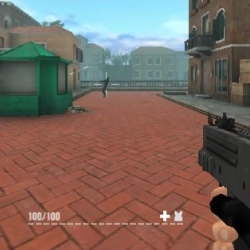
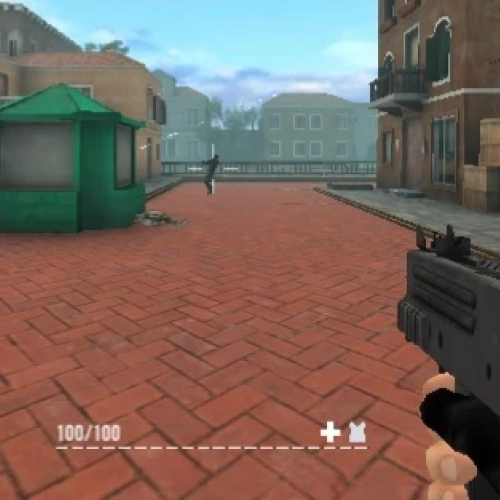
ArmedForces.io is a clean, fast FPS that rewards brainy positioning and tight aim instead of random spray. Rounds boot quick, maps have clear sightlines, and every footstep or reload you hear actually matters. If you like clutch trades and outplaying people with timing, this is your playground.
How it plays
Move with WASD, aim with the mouse, swap weapons fast, and keep your crosshair at head height. SMGs shred up close, ARs rule mid-lanes, snipers delete over long angles, and shotguns punish greedy peeks. Attachments change the feel—throw on a suppressor for sneaky flanks or a scope to lock down long corridors.
Modes that keep the lobby fresh
Team Deathmatch for trade discipline, Free For All for pure ego duels, Capture the Flag when you want routes and teamwork, Bomb Defuse for round-by-round reads, and Gun Game to test gun skill across the whole arsenal. Each mode rewards different habits, so you’ll constantly adjust pacing and angles.
Loadout and map smarts
Build two presets: an “entry” setup (SMG + flash) for brawling tight rooms, and a “control” setup (AR/sniper + smoke) for holding lanes. Learn two power positions per map—one aggressive, one safe—so you can swap when spawns flip. Don’t tunnel on one angle; shoulder-peek to bait a shot, then swing for the punish.
Quick tips from the grind
1) Reset your spray after 8–10 bullets to keep recoil tidy.
2) Sound is intel—chase reload cues and footstep direction.
3) Pre-aim common head levels at door frames instead of “reacting.”
4) Grenades win space—cut rotations or force players out of cover rather than random tosses.
Two related FPS picks when you want more heat:
• Bullet Force — bigger maps and buttery movement for long-lane beams.
• Masked Forces — fast TDM vibes when you want instant action.
Play ArmedForces.io and more on Classroom Center — Classroom Center G
How it plays
Move with WASD, aim with the mouse, swap weapons fast, and keep your crosshair at head height. SMGs shred up close, ARs rule mid-lanes, snipers delete over long angles, and shotguns punish greedy peeks. Attachments change the feel—throw on a suppressor for sneaky flanks or a scope to lock down long corridors.
Modes that keep the lobby fresh
Team Deathmatch for trade discipline, Free For All for pure ego duels, Capture the Flag when you want routes and teamwork, Bomb Defuse for round-by-round reads, and Gun Game to test gun skill across the whole arsenal. Each mode rewards different habits, so you’ll constantly adjust pacing and angles.
Loadout and map smarts
Build two presets: an “entry” setup (SMG + flash) for brawling tight rooms, and a “control” setup (AR/sniper + smoke) for holding lanes. Learn two power positions per map—one aggressive, one safe—so you can swap when spawns flip. Don’t tunnel on one angle; shoulder-peek to bait a shot, then swing for the punish.
Quick tips from the grind
1) Reset your spray after 8–10 bullets to keep recoil tidy.
2) Sound is intel—chase reload cues and footstep direction.
3) Pre-aim common head levels at door frames instead of “reacting.”
4) Grenades win space—cut rotations or force players out of cover rather than random tosses.
Two related FPS picks when you want more heat:
• Bullet Force — bigger maps and buttery movement for long-lane beams.
• Masked Forces — fast TDM vibes when you want instant action.
Play ArmedForces.io and more on Classroom Center — Classroom Center G
ARMED FORCES io is free to play on Classroom Center G. It loads fast, runs in your browser and works on school Chromebooks — perfect for a quick 5–10 minute break.
How to play
WASD or the Arrow Keys: Move ## Left-Shift: Run ## Spacebar: Slide ## Number Keys: Change Weapons ## Left-Mouse Button: Fire ## Right-Mouse Button: Aim ## E or F: Interact / Pick up a Weapon ## G: Throw a Dynamite ## H: Use MedKit ## T: Chat ## L: Toggle Cursor Lock ## C: Crouch ## N: Show Scoreboard ## ESC: Pause ####


























Comments( 0 )