- Home
- Center G Games
- PIXEL GUN SURVIVAL








































Center G · ClassroomCenterG.comThe place to play free games!
How was it?
About PIXEL GUN SURVIVAL
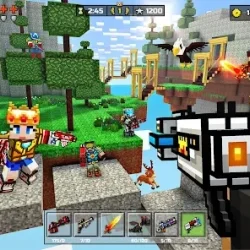
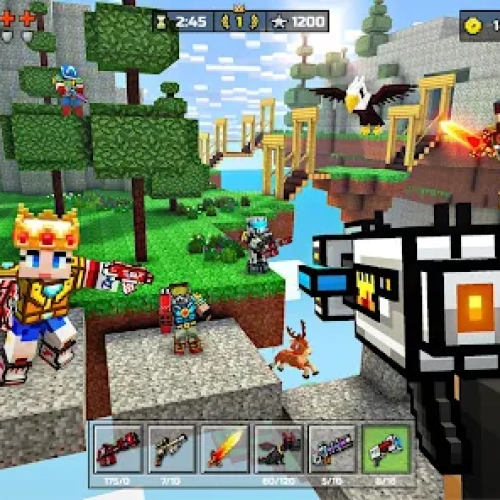
Pixel Gun Survival is a blocky panic party where you spawn with a pea-shooter, hear the “wave incoming” horn, and instantly become the team captain of your own survival. It’s you vs. endless mobs, and every second is a tiny decision—hold a corner and tap heads, or sprint for ammo and risk getting boxed in. It’s fast, crunchy, and super learnable if you play smart.
How it plays
On keyboard, move with WASD, aim with the mouse, and swap weapons fast (scroll or number keys). Headshots drop threats quicker, and short bursts beat panic spraying. Between waves, snag medkits and ammo crates, then set up for the next push. The voxel maps mix tight hallways with open yards, so you can funnel enemies through chokepoints, then rotate out before you get pinched.
Weapons & upgrades
Sidearms are clutch for quick swaps, shotguns delete anything that hugs your face, and rifles are your all-rounders for steady crowd control. Look for damage and reload upgrades—faster reloads matter more than you think when three zombies are high-fiving your spine. Grenades are for spacing; toss one to create breathing room, not just for flashy triple kills.
Enemy patterns
Thin the sprinters first (they ruin spacing), then kite the slow pack around cover. Keep mental notes of safe loops that pass an ammo box and a medkit—having a clean rotation feels like an extra life. If a wave starts spawning heavies, widen your turns and use corners to break line of sight before re-engaging.
Quick tips (from a totally calm 15-year-old)
Route first, shoot second. Plan your loop before the horn.
Never dry-reload in the open. Duck behind anything—even a tiny crate.
Burst, don’t hose. Voxels are chunky; make every bullet count.
Leave one crawler. Use the lull to restock and reposition.
If you like wave defense and tight gunplay, try these next:
• Zombie Outbreak Arena — top-down survival with slick kiting and perk builds.
• Time Shooter 3: SWAT — time slows when you stand still, so plan perfect shots.
Play Pixel Gun Survival and more at ClassroomCenterG — Classroom Center G
How it plays
On keyboard, move with WASD, aim with the mouse, and swap weapons fast (scroll or number keys). Headshots drop threats quicker, and short bursts beat panic spraying. Between waves, snag medkits and ammo crates, then set up for the next push. The voxel maps mix tight hallways with open yards, so you can funnel enemies through chokepoints, then rotate out before you get pinched.
Weapons & upgrades
Sidearms are clutch for quick swaps, shotguns delete anything that hugs your face, and rifles are your all-rounders for steady crowd control. Look for damage and reload upgrades—faster reloads matter more than you think when three zombies are high-fiving your spine. Grenades are for spacing; toss one to create breathing room, not just for flashy triple kills.
Enemy patterns
Thin the sprinters first (they ruin spacing), then kite the slow pack around cover. Keep mental notes of safe loops that pass an ammo box and a medkit—having a clean rotation feels like an extra life. If a wave starts spawning heavies, widen your turns and use corners to break line of sight before re-engaging.
Quick tips (from a totally calm 15-year-old)
Route first, shoot second. Plan your loop before the horn.
Never dry-reload in the open. Duck behind anything—even a tiny crate.
Burst, don’t hose. Voxels are chunky; make every bullet count.
Leave one crawler. Use the lull to restock and reposition.
If you like wave defense and tight gunplay, try these next:
• Zombie Outbreak Arena — top-down survival with slick kiting and perk builds.
• Time Shooter 3: SWAT — time slows when you stand still, so plan perfect shots.
Play Pixel Gun Survival and more at ClassroomCenterG — Classroom Center G
PIXEL GUN SURVIVAL is free to play on Classroom Center G. It loads fast, runs in your browser and works on school Chromebooks — perfect for a quick 5–10 minute break.
How to play
WASD moving MOUSE: aim and shoot


























Comments( 0 )