







































Center G · ClassroomCenterG.comThe place to play free games!
How was it?
About KART RACE 3D
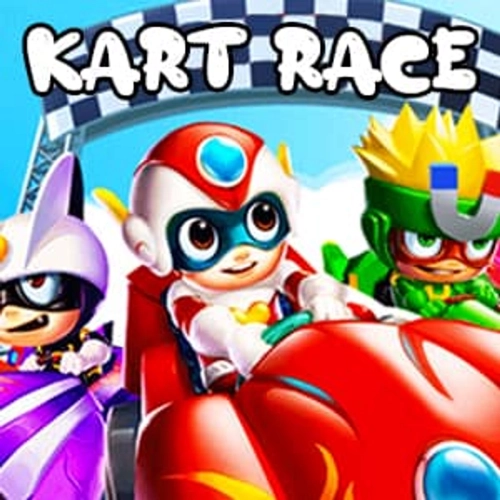
Kart Race 3D looks cute… until the first hairpin eats your bumper. This is pure arcade racing: tight corners, sneaky obstacles, and item battles where one clutch drift turns a panic lap into a victory dance. You’re not just mashing gas—you’re planning lines, baiting enemy items, and chaining boosts so your kart feels glued to the track.
Controls & feel
Steer with WASD/Arrows, tap Space (or a light brake) to start a drift, and hold it just long enough to charge a mini-boost. Release on exit and slingshot down the straight. Short drifts = safe boosts; long slides = big speed if you don’t overcook the angle. The physics are forgiving but not sleepy—you’ll feel the kart wiggle if you turn in late or land sketchy after a jump.
Items that matter
You’ve got classics: rockets for sniping on corner exits, traps for mid-apex surprises, and shields to save a lead through the final chicane. Use them like momentum tools, not panic buttons. Smart timing > spam firing.
Tracks & obstacles
Beach S-curves reward long, controlled slides; stormy stages lower grip so you shorten drifts and brake earlier. Ramps are high-risk/high-reward—center the landing and snap a micro-drift on touchdown to keep speed. Moving hazards (spinners, falling rocks) are rhythm breakers, so lift for half a beat and reset control instead of muscling through.
Tuning tips (that actually help)
If you love slalom sections, stack handling + acceleration so you’re back at speed after every wiggle. Straight-line bullies should boost top speed + stability and keep a shield for long sectors. Spend coins where it counts: tires for grip tracks, engine for flat sprint maps, a pinch of weight if bumping keeps sending you wide.
Quick wins
• Enter wide, exit tight—set the drift before the turn.
• If you get item-locked, drive one calm sector; clean exits beat angry overdrives.
• Learn two lines per track: a “banker” for consistency and a spicy PB route for comebacks.
Play instantly on ClassroomCenterG.com—no installs, just queue and race.
Two related racers to try next
• Crazy Karts — colorful arenas, wild power-ups, and chaotic duels.
• Go Kart Go Ultra — toon-style tracks with cheeky shortcuts and big drifts.
Bottom line: Kart Race 3D is all about clean drifts, smart items, and last-lap clutches. See you on the podium.
Controls & feel
Steer with WASD/Arrows, tap Space (or a light brake) to start a drift, and hold it just long enough to charge a mini-boost. Release on exit and slingshot down the straight. Short drifts = safe boosts; long slides = big speed if you don’t overcook the angle. The physics are forgiving but not sleepy—you’ll feel the kart wiggle if you turn in late or land sketchy after a jump.
Items that matter
You’ve got classics: rockets for sniping on corner exits, traps for mid-apex surprises, and shields to save a lead through the final chicane. Use them like momentum tools, not panic buttons. Smart timing > spam firing.
Tracks & obstacles
Beach S-curves reward long, controlled slides; stormy stages lower grip so you shorten drifts and brake earlier. Ramps are high-risk/high-reward—center the landing and snap a micro-drift on touchdown to keep speed. Moving hazards (spinners, falling rocks) are rhythm breakers, so lift for half a beat and reset control instead of muscling through.
Tuning tips (that actually help)
If you love slalom sections, stack handling + acceleration so you’re back at speed after every wiggle. Straight-line bullies should boost top speed + stability and keep a shield for long sectors. Spend coins where it counts: tires for grip tracks, engine for flat sprint maps, a pinch of weight if bumping keeps sending you wide.
Quick wins
• Enter wide, exit tight—set the drift before the turn.
• If you get item-locked, drive one calm sector; clean exits beat angry overdrives.
• Learn two lines per track: a “banker” for consistency and a spicy PB route for comebacks.
Play instantly on ClassroomCenterG.com—no installs, just queue and race.
Two related racers to try next
• Crazy Karts — colorful arenas, wild power-ups, and chaotic duels.
• Go Kart Go Ultra — toon-style tracks with cheeky shortcuts and big drifts.
Bottom line: Kart Race 3D is all about clean drifts, smart items, and last-lap clutches. See you on the podium.
KART RACE 3D is free to play on Classroom Center G. It loads fast, runs in your browser and works on school Chromebooks — perfect for a quick 5–10 minute break.
How to play
ARROW keys for driving.



























Comments( 0 )