







































Center G · ClassroomCenterG.comThe place to play free games!
How was it?
About GO KART GO ULTRA
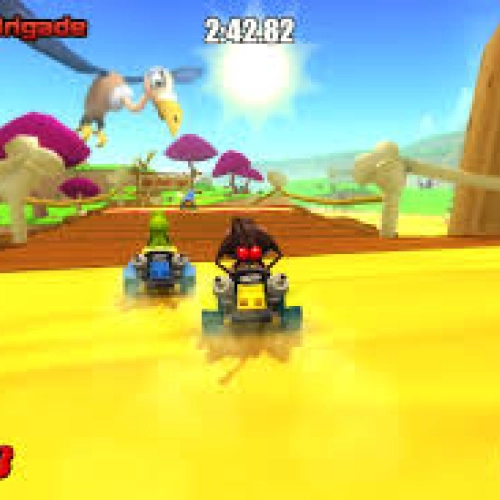
Go Kart Go! Ultra! is for anyone who loves messy, funny, “I can still win this” racing. You pick from a squad of goofy animal drivers, then blast around bright tracks loaded with boost pads, ramps, and sneaky shortcuts. It looks cute, but the racing gets sweaty fast—perfect for quick after-school sessions or full-on trophy grinds.
How it drives
Steer with WASD/Arrows, tap jump to start a drift, and hold a clean line to feed your boost. Boxes drop items that turn calm laps into pure mayhem: rockets for long straights, oil slicks to ruin someone’s apex, and water splashes that scramble the pack. The trick is timing—use items right after a boost pad or at the exit of a tight turn to flip positions instantly.
Tracks & unlocks
Circuits like Old Station, Central Park, and Watermill Mine reward curiosity. Cut a corner with a ramp, thread a side tunnel, or risk a jump line to shave seconds. Win races, collect stars, and you’ll unlock more racers and challenges. The difficulty ramps smartly, so you’re always learning a new line or a better place to drop hazards.
Why it’s addicting
Every lap has a decision: play safe and bank a podium, or send it and hunt the shortcut. The handling sits in that sweet spot—easy to start, but micro-corrections and drift angles actually matter. It runs smooth in your browser, so you can launch straight from ClassroomCenterG.com and be in a race in seconds.
Quick tips from a sweaty kart kid
• Drift early, release late—bigger sparks, bigger boost.
• Drop oil before chicanes; panic + physics = free overtakes.
• Save rockets for long straights or final-lap finishes.
• If you miss a shortcut, don’t force it—reset your line and try next lap.
Two related racers to queue next
• Crazy Karts — tight arenas, spicy power-ups, nonstop scrap.
• Smash Karts io — arena kart battles with big brain item plays.
Bottom line: Go Kart Go! Ultra! turns every race into highlight-reel chaos where smart drifts and cheeky items win trophies. See you on the podium.
Classroom Center G+
How it drives
Steer with WASD/Arrows, tap jump to start a drift, and hold a clean line to feed your boost. Boxes drop items that turn calm laps into pure mayhem: rockets for long straights, oil slicks to ruin someone’s apex, and water splashes that scramble the pack. The trick is timing—use items right after a boost pad or at the exit of a tight turn to flip positions instantly.
Tracks & unlocks
Circuits like Old Station, Central Park, and Watermill Mine reward curiosity. Cut a corner with a ramp, thread a side tunnel, or risk a jump line to shave seconds. Win races, collect stars, and you’ll unlock more racers and challenges. The difficulty ramps smartly, so you’re always learning a new line or a better place to drop hazards.
Why it’s addicting
Every lap has a decision: play safe and bank a podium, or send it and hunt the shortcut. The handling sits in that sweet spot—easy to start, but micro-corrections and drift angles actually matter. It runs smooth in your browser, so you can launch straight from ClassroomCenterG.com and be in a race in seconds.
Quick tips from a sweaty kart kid
• Drift early, release late—bigger sparks, bigger boost.
• Drop oil before chicanes; panic + physics = free overtakes.
• Save rockets for long straights or final-lap finishes.
• If you miss a shortcut, don’t force it—reset your line and try next lap.
Two related racers to queue next
• Crazy Karts — tight arenas, spicy power-ups, nonstop scrap.
• Smash Karts io — arena kart battles with big brain item plays.
Bottom line: Go Kart Go! Ultra! turns every race into highlight-reel chaos where smart drifts and cheeky items win trophies. See you on the podium.
Classroom Center G+
GO KART GO ULTRA is free to play on Classroom Center G. It loads fast, runs in your browser and works on school Chromebooks — perfect for a quick 5–10 minute break.
How to play
Player 1 ### Arrow keys - Steer ## Space - Use item ## Shift - Jump and drift ## Z - Look back ## Esc/P - Pause ## M - Mute sound #### Player 2 ## WASD keys - Steer ## Q - Use item ## Tab - Jump and drift ## E - Look back ## Esc/P - Pause ## M - Mute sound ##




























Comments( 0 )