







































Center G · ClassroomCenterG.comThe place to play free games!
How was it?
About ZOMBIE DERBY PIXEL SURVIVAL
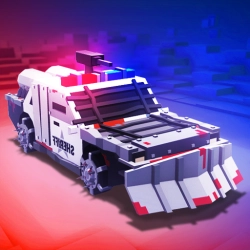
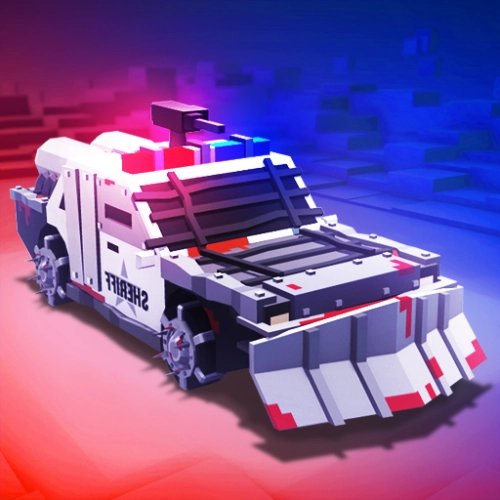
If you like your driving games loud and crunchy, Zombie Derby: Pixel Survival is a whole buffet. You start with a clunky beater and a half-sip of fuel, then send it down a road that’s 90% barricades and 10% undead speed bumps. The loop is simple but super addictive: go farther → earn cash → upgrade → go way farther. Couple runs in and your jalopy turns into a rolling blender with armor plates, spiky bumpers, and a nitro tank that hits like a rocket.
How it plays
Drive, smash, and manage momentum. The trick is learning when to feather the throttle so you don’t bog down in a zombie pile, and when to send it with boost over junk stacks. Upgrades actually matter—engine for acceleration, tires for grip on rough terrain, armor so you don’t fold like a soda can, and, yes, mounted guns for clearing a path when things get too cuddly. It feels great when you finally chain a clean run: jump a ramp, land flat, clip a barrel, and carve through a horde without losing speed.
Why it hits
No cutscenes, no filler—just “one more try” energy. Each level adds nastier layouts: taller barricades, thicker hordes, and gaps that demand smarter boost timing. The chunky pixel art sells the impact, and the sound of zombies thumping off your armor is low-key hilarious. Best part? It runs in your browser, so you can fire it up on ClassroomCenterG.com and be smashing skulls in seconds—no downloads, no hoops.
Quick tips from a fellow survivor
• Use short boost taps right before hills to keep speed through the climb.
• Land wheels-first after ramps—nose-dives waste momentum and fuel.
• Don’t max one part too early; balance engine + fuel + tires so the car stays drivable.
Two related rides to keep the chaos going
• Earn to Die — classic apocalypse road-trip where upgrades are your lifeline.
• Monster Truck vs Zombies — bigger tires, bigger splats, same survival brain.
Bottom line: Zombie Derby: Pixel Survival is pure grind-and-glow-up satisfaction—start weak, learn the road, build a metal monster, and turn the apocalypse into confetti.
Classroom Center Games
How it plays
Drive, smash, and manage momentum. The trick is learning when to feather the throttle so you don’t bog down in a zombie pile, and when to send it with boost over junk stacks. Upgrades actually matter—engine for acceleration, tires for grip on rough terrain, armor so you don’t fold like a soda can, and, yes, mounted guns for clearing a path when things get too cuddly. It feels great when you finally chain a clean run: jump a ramp, land flat, clip a barrel, and carve through a horde without losing speed.
Why it hits
No cutscenes, no filler—just “one more try” energy. Each level adds nastier layouts: taller barricades, thicker hordes, and gaps that demand smarter boost timing. The chunky pixel art sells the impact, and the sound of zombies thumping off your armor is low-key hilarious. Best part? It runs in your browser, so you can fire it up on ClassroomCenterG.com and be smashing skulls in seconds—no downloads, no hoops.
Quick tips from a fellow survivor
• Use short boost taps right before hills to keep speed through the climb.
• Land wheels-first after ramps—nose-dives waste momentum and fuel.
• Don’t max one part too early; balance engine + fuel + tires so the car stays drivable.
Two related rides to keep the chaos going
• Earn to Die — classic apocalypse road-trip where upgrades are your lifeline.
• Monster Truck vs Zombies — bigger tires, bigger splats, same survival brain.
Bottom line: Zombie Derby: Pixel Survival is pure grind-and-glow-up satisfaction—start weak, learn the road, build a metal monster, and turn the apocalypse into confetti.
Classroom Center Games
ZOMBIE DERBY PIXEL SURVIVAL is free to play on Classroom Center G. It loads fast, runs in your browser and works on school Chromebooks — perfect for a quick 5–10 minute break.
How to play
Accelerate - W / Up Arrow ------ Shoot Gun - Spacebar ------ Use Nitro - Left Shift --------- Tilt Forward / Backward - Left / Right Arrow






























Comments( 0 )