- Home
- Center G Games
- WRESTLE BROS








































Center G · ClassroomCenterG.comThe place to play free games!

How was it?
About WRESTLE BROS
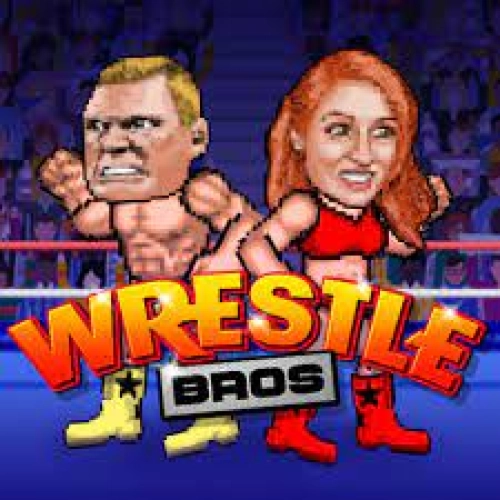
Wrestle Bros looks goofy for like two seconds, then it smacks you with real reads and timing. You’re in a tight ring, trading jabs, dodges, and throws while the crowd (and your friend on the couch) waits for someone to blink first. The roster’s full of loud personalities—Bron Lester, Brogan Paw, Binky Flinch, Rocky Star—and they each feel a bit different, so you’ll find a main fast and start cooking.
How it actually plays
Movement is snappy, and the neutral game matters. Short pokes set up grabs, whiffed heavies get punished, and a well-timed dodge turns defense into a free slam. Watch for wind-up tells and recovery frames—spamming buttons just hands your opponent a highlight reel. The ring ropes are your friend for corner control: walk them back, fake a grab, then clip a mid when they panic-jump. Chef’s kiss.
Modes that keep it fresh
Solo vs. AI is great for labbing routes and testing confirms. Local 2-player is pure pay-per-view energy—trash talk included. Tournament ladders ramp difficulty so you’re forced to mix up entries, manage stamina smarter, and stop autopiloting the same setup. Cosmetic tweaks let you rock loud neon tights or go full black-trunks menace; wins are the real flex, though.
Quick tips to start winning
• Open with safe jabs and buffer your throw—don’t chase air.
• Block, then dodge; raw dodges get sniped by delayed heavies.
• After a knockdown, roll away to reset space and kill their corner trap.
• Save meter for guaranteed punishes, not random Hail Marys.
Want instant play with no nonsense? Hit it on ClassroomCenterG.com—loads fast, runs smooth, and you’re ringside in seconds.
If you like Wrestle Bros, try these two from our library
• Rowdy Wrestling — over-the-top slams and chaotic rumbles that still reward smart spacing.
• Boxing Random — physics-drunk haymakers and hilarious footwork wars—perfect for quick best-of-3s.
Bottom line: Wrestle Bros is goofy on the surface, sweaty underneath—perfect for school-break sets where one clean read flips the whole match. Learn your confirms, keep your cool, and start stacking those W’s.
How it actually plays
Movement is snappy, and the neutral game matters. Short pokes set up grabs, whiffed heavies get punished, and a well-timed dodge turns defense into a free slam. Watch for wind-up tells and recovery frames—spamming buttons just hands your opponent a highlight reel. The ring ropes are your friend for corner control: walk them back, fake a grab, then clip a mid when they panic-jump. Chef’s kiss.
Modes that keep it fresh
Solo vs. AI is great for labbing routes and testing confirms. Local 2-player is pure pay-per-view energy—trash talk included. Tournament ladders ramp difficulty so you’re forced to mix up entries, manage stamina smarter, and stop autopiloting the same setup. Cosmetic tweaks let you rock loud neon tights or go full black-trunks menace; wins are the real flex, though.
Quick tips to start winning
• Open with safe jabs and buffer your throw—don’t chase air.
• Block, then dodge; raw dodges get sniped by delayed heavies.
• After a knockdown, roll away to reset space and kill their corner trap.
• Save meter for guaranteed punishes, not random Hail Marys.
Want instant play with no nonsense? Hit it on ClassroomCenterG.com—loads fast, runs smooth, and you’re ringside in seconds.
If you like Wrestle Bros, try these two from our library
• Rowdy Wrestling — over-the-top slams and chaotic rumbles that still reward smart spacing.
• Boxing Random — physics-drunk haymakers and hilarious footwork wars—perfect for quick best-of-3s.
Bottom line: Wrestle Bros is goofy on the surface, sweaty underneath—perfect for school-break sets where one clean read flips the whole match. Learn your confirms, keep your cool, and start stacking those W’s.
WRESTLE BROS is free to play on Classroom Center G. It loads fast, runs in your browser and works on school Chromebooks — perfect for a quick 5–10 minute break.
How to play
Single player mode ## AD or left and right arrow keys = move ## W or up arrow key = jump ## S or down arrow key = block ## Space, G, or L = action ## Two players mode ## Player 1 use WASD + G ## Player 2 use Arrow keys + L


























Comments( 0 )