- Home
- Center G Games
- TWO TUNNEL 3D








































Center G · ClassroomCenterG.comThe place to play free games!
How was it?
About TWO TUNNEL 3D
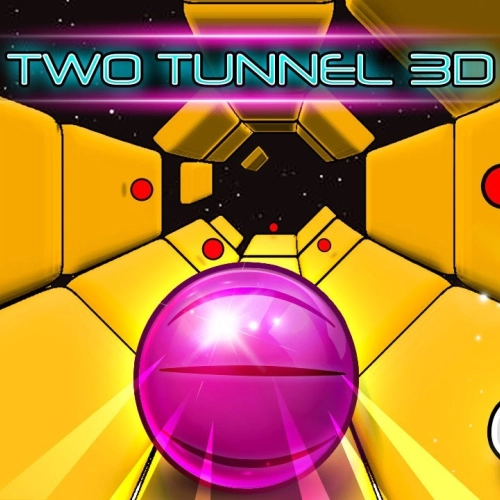
Two Tunnel 3D is the kind of game that makes you lean in your chair like that’ll somehow help. It’s a neon sprint through a shifting tunnel where platforms keep opening into gaps, and your whole job is to slide left or right at the perfect split-second so you don’t drop into the void. Sounds basic, but the speed creeps up, colors pulse, and suddenly you’re threading pixels like a beast (or face-planting in 0.4 seconds—no judgment).
How it plays
On keyboard, tap the Left/Right Arrows (Player 1) or A/D (Player 2). On mobile or tablet, simple left/right taps map cleanly to movement. The tunnel mixes straightaways with sneaky diagonals, so you’re constantly re-centering between moves. Survive longer, score higher. That’s the loop—and it’s dangerously “just one more run.”
Why it hits
The visuals aren’t just pretty; they mess with your depth perception in a good way, forcing you to read the next opening early. The soundtrack pushes a steady tempo so, once you lock in, your fingers start matching the beat and your lines get smoother. It’s a perfect pass-the-keyboard challenge or a quick burst between classes since a full run takes seconds… unless you’re cracked and go forever.
2-Player Mode
This is where friendships get spicy. Same screen, two controls, last one standing wins. It’s quick, petty, and instantly rematchable. If someone falls early, swap sides and run it back—best of five or first to 100, your call.
Tips from the grind
Feather, don’t yank: micro-corrections keep you aligned for the next tile.
Look two platforms ahead: line up the future gap, not the one under your feet.
Use the center lane: you’ll get cleaner angles to dodge sudden side gaps.
Ride the beat: input on rhythm to avoid panic-spamming when speed spikes.
Related runs to master next:
• Electron Dash — lane swaps and tight dodges in a sleek cosmic tunnel.
• Helix Jump — vertical reflex training with perfect-drop satisfaction.
Ready to chase that new PB? Dive into Two Tunnel 3D and more at ClassroomCenter
How it plays
On keyboard, tap the Left/Right Arrows (Player 1) or A/D (Player 2). On mobile or tablet, simple left/right taps map cleanly to movement. The tunnel mixes straightaways with sneaky diagonals, so you’re constantly re-centering between moves. Survive longer, score higher. That’s the loop—and it’s dangerously “just one more run.”
Why it hits
The visuals aren’t just pretty; they mess with your depth perception in a good way, forcing you to read the next opening early. The soundtrack pushes a steady tempo so, once you lock in, your fingers start matching the beat and your lines get smoother. It’s a perfect pass-the-keyboard challenge or a quick burst between classes since a full run takes seconds… unless you’re cracked and go forever.
2-Player Mode
This is where friendships get spicy. Same screen, two controls, last one standing wins. It’s quick, petty, and instantly rematchable. If someone falls early, swap sides and run it back—best of five or first to 100, your call.
Tips from the grind
Feather, don’t yank: micro-corrections keep you aligned for the next tile.
Look two platforms ahead: line up the future gap, not the one under your feet.
Use the center lane: you’ll get cleaner angles to dodge sudden side gaps.
Ride the beat: input on rhythm to avoid panic-spamming when speed spikes.
Related runs to master next:
• Electron Dash — lane swaps and tight dodges in a sleek cosmic tunnel.
• Helix Jump — vertical reflex training with perfect-drop satisfaction.
Ready to chase that new PB? Dive into Two Tunnel 3D and more at ClassroomCenter
TWO TUNNEL 3D is free to play on Classroom Center G. It loads fast, runs in your browser and works on school Chromebooks — perfect for a quick 5–10 minute break.
How to play
AD or ARROW keys for playing.


























Comments( 0 )