- Home
- Center G Games
- TOWER CRASH 3D








































Center G · ClassroomCenterG.comThe place to play free games!
How was it?
About TOWER CRASH 3D
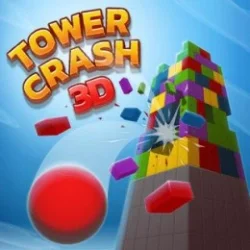
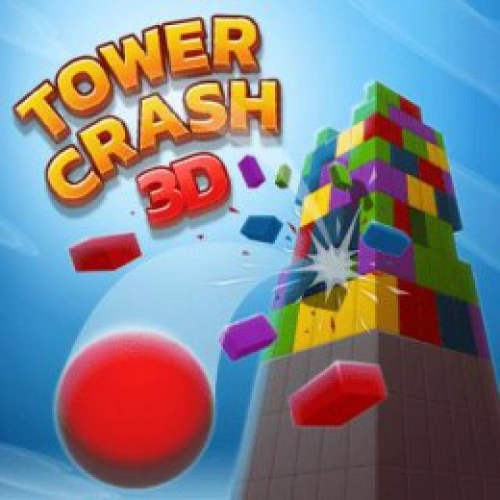
Tower Crash 3D looks simple—shoot the colored tower and watch it crumble—but there’s real puzzle brain hiding under all that chaos. You only break segments that match your current ball color, and you’ve got a limited stash of shots. So yeah, you can spam-click… or you can play smart and make the whole cylinder slide down like a stack of wet pancakes. Guess which one feels cooler.
How it plays
Click or tap to fire, and drag to rotate the tower. That spin matters a ton: rotate until you spot a big seam of matching pieces, then pop the weak point and let gravity do the rest. The physics are chunky and predictable, so if you snipe a support ring low on the stack, upper layers slant, jam, and then—boom—whole sections shear off. Levels keep mixing shapes (gaps, staggered rings, offset blocks), so you’re always hunting a new angle.
Why it’s addicting
Every shot is a tiny gamble with a huge payoff. Nail a clean cluster and you trigger a chain that rips through multiple layers. Miss the color and you basically donated a ball to the void—pain. The loop is fast: 30–60 seconds per level, instant restarts, and that “ok, ONE more” energy that absolutely ruins bedtime. It runs smooth in your browser, so you can jump in from school or home without downloads. If you need a quick fix, hit ClassroomCenter Games and smack some towers between classes.
Tips from a cheerful tower gremlin
• Rotate for continuous bridges of the same color—side-to-side links melt entire rings.
• Aim low supports first; toppling beats pecking at the cap.
• Let the tower settle after big hits. New cracks open, bigger clusters appear.
• If a layer’s checkerboarded, set up the next shot instead of forcing a bad one.
Two related games to keep the chain reactions rolling
• Blumgi Castle — cartoon physics + precision lobs = glorious explosions.
• Stack Bump 3D — smash through color stacks and chase perfect lines.
Bottom line: Tower Crash 3D is quick, clean destruction with just enough thinking to make every collapse feel earned. Perfect snack game, dangerous time sink.
How it plays
Click or tap to fire, and drag to rotate the tower. That spin matters a ton: rotate until you spot a big seam of matching pieces, then pop the weak point and let gravity do the rest. The physics are chunky and predictable, so if you snipe a support ring low on the stack, upper layers slant, jam, and then—boom—whole sections shear off. Levels keep mixing shapes (gaps, staggered rings, offset blocks), so you’re always hunting a new angle.
Why it’s addicting
Every shot is a tiny gamble with a huge payoff. Nail a clean cluster and you trigger a chain that rips through multiple layers. Miss the color and you basically donated a ball to the void—pain. The loop is fast: 30–60 seconds per level, instant restarts, and that “ok, ONE more” energy that absolutely ruins bedtime. It runs smooth in your browser, so you can jump in from school or home without downloads. If you need a quick fix, hit ClassroomCenter Games and smack some towers between classes.
Tips from a cheerful tower gremlin
• Rotate for continuous bridges of the same color—side-to-side links melt entire rings.
• Aim low supports first; toppling beats pecking at the cap.
• Let the tower settle after big hits. New cracks open, bigger clusters appear.
• If a layer’s checkerboarded, set up the next shot instead of forcing a bad one.
Two related games to keep the chain reactions rolling
• Blumgi Castle — cartoon physics + precision lobs = glorious explosions.
• Stack Bump 3D — smash through color stacks and chase perfect lines.
Bottom line: Tower Crash 3D is quick, clean destruction with just enough thinking to make every collapse feel earned. Perfect snack game, dangerous time sink.
TOWER CRASH 3D is free to play on Classroom Center G. It loads fast, runs in your browser and works on school Chromebooks — perfect for a quick 5–10 minute break.


























Comments( 0 )