- Home
- Center G Games
- SUPER FALLING FRED








































Center G · ClassroomCenterG.comThe place to play free games!
How was it?
About SUPER FALLING FRED
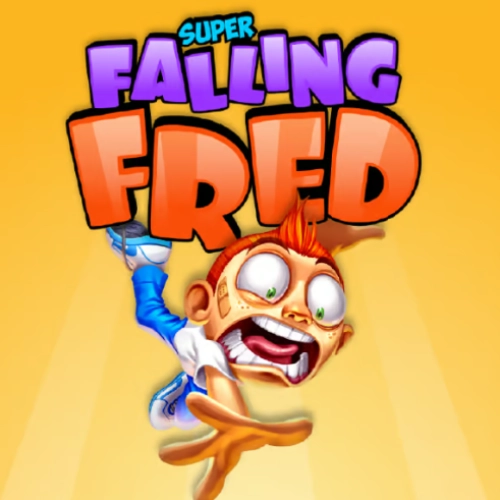
Super Falling Fred is pure ragdoll panic—in the funniest way possible. You’re dropping down a massive shaft full of moving platforms, swinging hammers, spinning saws, and every “yikes” trap you can imagine. Fred screams, you flinch, and somehow your hands keep steering because that next gap looks just wide enough. The mission: survive, grab coins, and push your high score a few meters farther than last time.
How it plays
Controls are super tight: tiny left/right taps slide you into safe lanes, while bigger sweeps yank you out of disaster at the last second. The deeper you fall, the faster hazards shift—early sections feel generous, but by mid-run you’re threading needles. Coins aren’t just flex—they unlock goofy skins (hello, zombie vibes) and power-ups that make the next plunge a little less painful.
Why it hits
The level layout constantly remixes, so no two drops feel the same. One run you’re dodging wrecking balls; the next, you’re surfing conveyor platforms like a pro. The feedback loop is addictive: you learn a pattern, choke one pixel short, and instantly queue up another attempt because you know you’ve got it. It’s fast, skill-based, and hilarious when Fred pinballs off three hazards and somehow lives.
Pro tips from the shaft
• Live in the center lane early. It gives you two escape routes when traps stack.
• Read top-down. Lock onto the next safe pocket, then micro-correct into it.
• Small moves > panic swerves. Oversteering is how you faceplant into saws.
• Spend coins smart. Prioritize upgrades that help consistency, then chase the funny cosmetics.
Two related runs when you need a break (but not really):
— Running Fred — same series, but sprinting through trap corridors with wall jumps and nasty surprise rooms.
— Skiing Fred — downhill chaos with ice, jumps, and obstacles that do not care about your feelings.
Final drop
Super Falling Fred is loud, fast, and way more skillful than it looks. If you love near-misses and chasing “one more meter,” this is your new between-classes obsession. Grab a seatbelt (and maybe earplugs for Fred), then dive in at our homepage: ClassroomCenterG.
How it plays
Controls are super tight: tiny left/right taps slide you into safe lanes, while bigger sweeps yank you out of disaster at the last second. The deeper you fall, the faster hazards shift—early sections feel generous, but by mid-run you’re threading needles. Coins aren’t just flex—they unlock goofy skins (hello, zombie vibes) and power-ups that make the next plunge a little less painful.
Why it hits
The level layout constantly remixes, so no two drops feel the same. One run you’re dodging wrecking balls; the next, you’re surfing conveyor platforms like a pro. The feedback loop is addictive: you learn a pattern, choke one pixel short, and instantly queue up another attempt because you know you’ve got it. It’s fast, skill-based, and hilarious when Fred pinballs off three hazards and somehow lives.
Pro tips from the shaft
• Live in the center lane early. It gives you two escape routes when traps stack.
• Read top-down. Lock onto the next safe pocket, then micro-correct into it.
• Small moves > panic swerves. Oversteering is how you faceplant into saws.
• Spend coins smart. Prioritize upgrades that help consistency, then chase the funny cosmetics.
Two related runs when you need a break (but not really):
— Running Fred — same series, but sprinting through trap corridors with wall jumps and nasty surprise rooms.
— Skiing Fred — downhill chaos with ice, jumps, and obstacles that do not care about your feelings.
Final drop
Super Falling Fred is loud, fast, and way more skillful than it looks. If you love near-misses and chasing “one more meter,” this is your new between-classes obsession. Grab a seatbelt (and maybe earplugs for Fred), then dive in at our homepage: ClassroomCenterG.
SUPER FALLING FRED is free to play on Classroom Center G. It loads fast, runs in your browser and works on school Chromebooks — perfect for a quick 5–10 minute break.
How to play
ARROW keys for playing.


























Comments( 0 )