







































Center G · ClassroomCenterG.comThe place to play free games!
How was it?
About SLOW ROADS
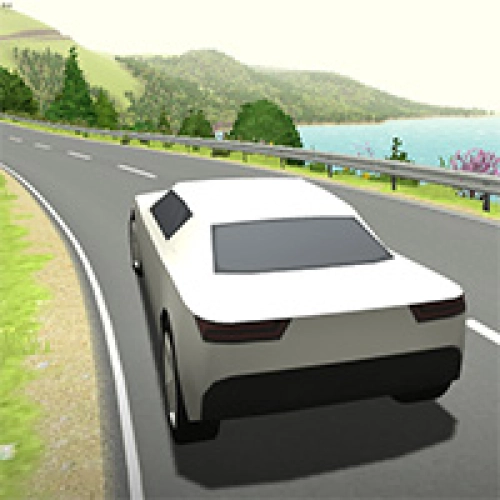
If your brain needs a snack break, Slow Roads is perfect. No timers, no rivals—just endless asphalt curling through hills, lakes, and valleys while you vibe. The world is procedurally generated, so the highway keeps unfolding forever. The road winds around terrain like a real scenic route, which makes cruising feel natural instead of game-y. Pop it in your browser, pick a scene, and zone out as the lighting and weather shift from sunny glow to cozy mist.
Handling & feel
The car is intentionally smooth and floaty. You’re not fighting hyper-real grip or surprise walls; it’s all about flow. Small steering inputs, steady throttle, and keeping your eyes far down the lane turn every run into a mini meditation. It even works fine on a laptop trackpad, but a controller gives extra buttery steering if you’ve got one.
Why it hits different
Because the landscape isn’t copy-pasted. The generator stitches gentle grades and soft corners that match the terrain, so your drive tells a new story every time. You can also tweak visuals for vibe or performance—overcast/dusk looks gorgeous and runs great on school laptops. Throw on your playlist and let the miles melt.
Starter tips (from a fellow chill driver)
• Feather the wheel. Tiny corrections beat big panic turns.
• Look ahead. Scan the horizon so corners never sneak up.
• Tune the scene. If your device lags, pick simpler lighting and shorter view distance—it still looks dreamy.
• Find your rhythm. Treat long bends like S-curves: set up early, hold a smooth arc, breathe.
If you want more open-road energy after your cruise:
• City roaming with traffic play: City Rider
• Stunts, upgrades, and a huge playground: Top Speed Racing 3D
Ready to log “one more mile” (and then ten more)? Find it on Classroom Center — Classroom Center G
Handling & feel
The car is intentionally smooth and floaty. You’re not fighting hyper-real grip or surprise walls; it’s all about flow. Small steering inputs, steady throttle, and keeping your eyes far down the lane turn every run into a mini meditation. It even works fine on a laptop trackpad, but a controller gives extra buttery steering if you’ve got one.
Why it hits different
Because the landscape isn’t copy-pasted. The generator stitches gentle grades and soft corners that match the terrain, so your drive tells a new story every time. You can also tweak visuals for vibe or performance—overcast/dusk looks gorgeous and runs great on school laptops. Throw on your playlist and let the miles melt.
Starter tips (from a fellow chill driver)
• Feather the wheel. Tiny corrections beat big panic turns.
• Look ahead. Scan the horizon so corners never sneak up.
• Tune the scene. If your device lags, pick simpler lighting and shorter view distance—it still looks dreamy.
• Find your rhythm. Treat long bends like S-curves: set up early, hold a smooth arc, breathe.
If you want more open-road energy after your cruise:
• City roaming with traffic play: City Rider
• Stunts, upgrades, and a huge playground: Top Speed Racing 3D
Ready to log “one more mile” (and then ten more)? Find it on Classroom Center — Classroom Center G
SLOW ROADS is free to play on Classroom Center G. It loads fast, runs in your browser and works on school Chromebooks — perfect for a quick 5–10 minute break.
How to play
WASD = drive, Space = handbrake, R = respawn, Mouse = settings




























Comments( 0 )