







































Center G · ClassroomCenterG.comThe place to play free games!
How was it?
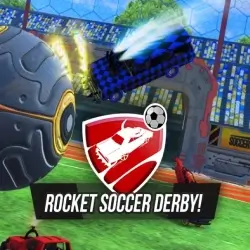
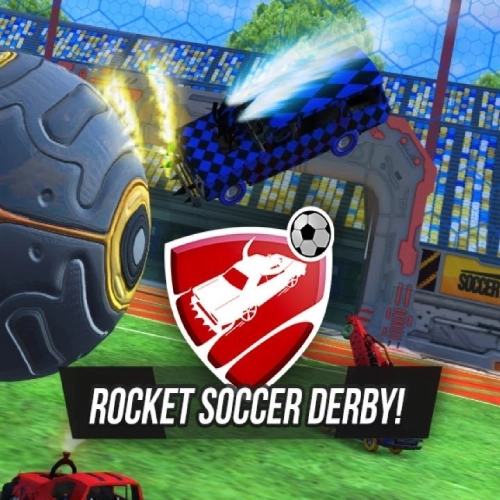
About ROCKET SOCCER DERBY
Rocket Soccer Derby is what happens when a racing game steals a soccer ball and refuses to give it back. You spawn in shiny arena rides, engine growling, neon turf glowing, and that massive ball just dares you to send it top corner. It’s fast, chaotic, and weirdly strategic—like car sumo with real footy rules.
How it plays
Steer with WASD/Arrows, tap Jump to pop the ball, and hit Boost when you’ve got a line on goal. Feather the throttle to “carry” the ball on your hood, then flick jump for a cheeky chip. There’s a ball-lock camera option so you can keep the orb centered while you power-slide around defenders—super clutch when scrums get messy.
Why it’s low-key genius
Every touch matters. A soft first tap sets up the volley; a panic blast hands the counter to the other team. You start reading bounces off the sidewall and timing rotations—challenge early, or fake and fall back post? That moment you dunk a rebound into an open net feels heroic (and yes, your friend on defense will be molding). The handling is tight enough for dribbles, but chunky enough that demos and body checks are legit plays.
Quick tips (from a happily overcaffeinated striker)
• Save some boost. Leave a sliver for recoveries after misses—free goals come from empty tanks.
• Ride the wall. Safer carries than midfield dribbles, plus clean center balls.
• Rotate, rotate. If you whiff, swing back post instead of chasing. That’s your easy clear.
• Chip > smash. Nudge the first touch, then finish—power is for the second hit.
Modes & progression
Jump into quick matches for instant chaos or grind longer sets to unlock fresh rides and cosmetics. Small tuning tweaks actually change how you play—snappier turns for close control, heavier frames if you’re a demolition goblin, smarter boost paths if you’re the team’s playmaker.
Two related picks when you need a pit stop
• Bumper Cars Soccer — tighter arenas, bigger hits, same “cars + goals” madness.
• Madalin Stunt Cars Multiplayer — practice car control and line choice between matches.
Bottom line: Rocket Soccer Derby turns you into a highlight machine—learn the bounces, time your boost, and ping the winner off the crossbar. Play more arena-footy and driving hits at Classroom Center G+.
How it plays
Steer with WASD/Arrows, tap Jump to pop the ball, and hit Boost when you’ve got a line on goal. Feather the throttle to “carry” the ball on your hood, then flick jump for a cheeky chip. There’s a ball-lock camera option so you can keep the orb centered while you power-slide around defenders—super clutch when scrums get messy.
Why it’s low-key genius
Every touch matters. A soft first tap sets up the volley; a panic blast hands the counter to the other team. You start reading bounces off the sidewall and timing rotations—challenge early, or fake and fall back post? That moment you dunk a rebound into an open net feels heroic (and yes, your friend on defense will be molding). The handling is tight enough for dribbles, but chunky enough that demos and body checks are legit plays.
Quick tips (from a happily overcaffeinated striker)
• Save some boost. Leave a sliver for recoveries after misses—free goals come from empty tanks.
• Ride the wall. Safer carries than midfield dribbles, plus clean center balls.
• Rotate, rotate. If you whiff, swing back post instead of chasing. That’s your easy clear.
• Chip > smash. Nudge the first touch, then finish—power is for the second hit.
Modes & progression
Jump into quick matches for instant chaos or grind longer sets to unlock fresh rides and cosmetics. Small tuning tweaks actually change how you play—snappier turns for close control, heavier frames if you’re a demolition goblin, smarter boost paths if you’re the team’s playmaker.
Two related picks when you need a pit stop
• Bumper Cars Soccer — tighter arenas, bigger hits, same “cars + goals” madness.
• Madalin Stunt Cars Multiplayer — practice car control and line choice between matches.
Bottom line: Rocket Soccer Derby turns you into a highlight machine—learn the bounces, time your boost, and ping the winner off the crossbar. Play more arena-footy and driving hits at Classroom Center G+.
ROCKET SOCCER DERBY is free to play on Classroom Center G. It loads fast, runs in your browser and works on school Chromebooks — perfect for a quick 5–10 minute break.
How to play
Drive - WASD ## Nitro - LShift ## Jump - Spacebar ## Change camera - F




























Comments( 0 )