- Home
- Center G Games
- MOTO X3M 6 SPOOKY LAND








































Center G · ClassroomCenterG.comThe place to play free games!
How was it?
About MOTO X3M 6 SPOOKY LAND
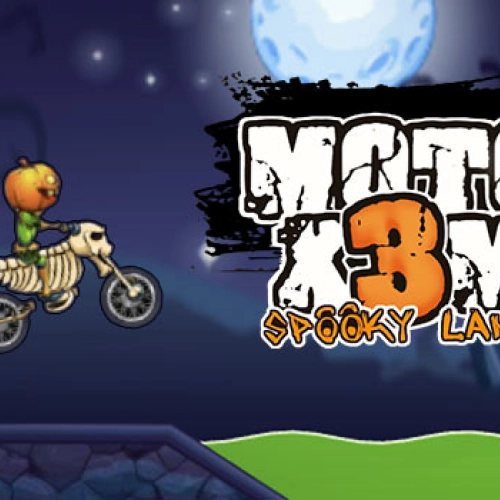
If jump-scares had wheels, they’d look like Moto X3M 6: Spooky Land. You blast through graveyards, rickety castles, and foggy forests while dodging bone saws, trap doors, and pumpkin-headed contraptions that absolutely do not want you to finish. It’s fast, it’s tricky, and when you stick a perfect run, it feels legendary.
How it plays
Controls are super clean—WASD/Arrows to ride, Shift/Ctrl for gas/brake (varies by setup), and lean forward/back to control flips. The physics are tight, so landing wheels-first matters. Levels are short but spicy: collapsing bridges, spring coffins, and timed gates that force precision. You’re chasing three-star times, so it’s all about rhythm—pump the downhills, micro-brake before bait ramps, and only flip when your landing angle is safe.
What’s actually hard
Spooky Land loves fake-outs. A ramp looks sendable… then there’s a blade just past the lip. Some gaps need a tiny brake tap; others want a full-send backflip to clear spikes. Later stages chain moving parts—swinging axes into tilting platforms—so reading the track a beat ahead is everything. Fail fast, restart faster.
Pro tips from a sweaty rider
• Scout first, stunt second: one recon run saves ten resets.
• Edge control: start flips early in the air, finish before touchdown to keep speed.
• Momentum > max throttle: smooth landings beat reckless gas mashing.
• Star grind: learn two or three “gold” sections and chain them—PBs happen quick.
Why it slaps
Crisp physics, evil-but-fair level ideas, and Halloween art that actually helps you read hazards (glows, silhouettes, sound cues). It’s perfect for short study breaks, but also deep enough to speedrun and brag about those 0.2s time saves.
Two related rides you’ll crush next
• Moto X3M: Pool Party — same precision, splashy summer traps, great for learning speed lines.
• Moto X Winter — icy landings and slick ramps that make control feel extra clutch.
Bottom line: Moto X3M 6: Spooky Land turns haunted chaos into clean, satisfying flow. Nail the timing, stack those stars, and flex the fastest route through the graveyard.
Classroom Center G
How it plays
Controls are super clean—WASD/Arrows to ride, Shift/Ctrl for gas/brake (varies by setup), and lean forward/back to control flips. The physics are tight, so landing wheels-first matters. Levels are short but spicy: collapsing bridges, spring coffins, and timed gates that force precision. You’re chasing three-star times, so it’s all about rhythm—pump the downhills, micro-brake before bait ramps, and only flip when your landing angle is safe.
What’s actually hard
Spooky Land loves fake-outs. A ramp looks sendable… then there’s a blade just past the lip. Some gaps need a tiny brake tap; others want a full-send backflip to clear spikes. Later stages chain moving parts—swinging axes into tilting platforms—so reading the track a beat ahead is everything. Fail fast, restart faster.
Pro tips from a sweaty rider
• Scout first, stunt second: one recon run saves ten resets.
• Edge control: start flips early in the air, finish before touchdown to keep speed.
• Momentum > max throttle: smooth landings beat reckless gas mashing.
• Star grind: learn two or three “gold” sections and chain them—PBs happen quick.
Why it slaps
Crisp physics, evil-but-fair level ideas, and Halloween art that actually helps you read hazards (glows, silhouettes, sound cues). It’s perfect for short study breaks, but also deep enough to speedrun and brag about those 0.2s time saves.
Two related rides you’ll crush next
• Moto X3M: Pool Party — same precision, splashy summer traps, great for learning speed lines.
• Moto X Winter — icy landings and slick ramps that make control feel extra clutch.
Bottom line: Moto X3M 6: Spooky Land turns haunted chaos into clean, satisfying flow. Nail the timing, stack those stars, and flex the fastest route through the graveyard.
Classroom Center G
MOTO X3M 6 SPOOKY LAND is free to play on Classroom Center G. It loads fast, runs in your browser and works on school Chromebooks — perfect for a quick 5–10 minute break.
How to play
Use the W or Up Arrow key to speed up ## Use the S or Down Arrow key to break ## Use the A and D or Left Arrow and Right Arrow keys to position your motorbike.


























Comments( 0 )