







































Center G · ClassroomCenterG.comThe place to play free games!
How was it?
About MADALIN STUNT CARS 2
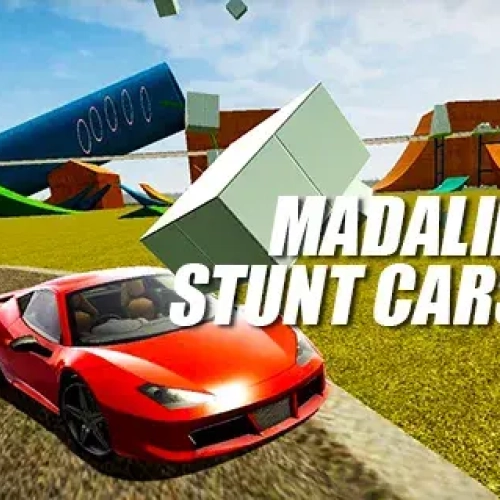
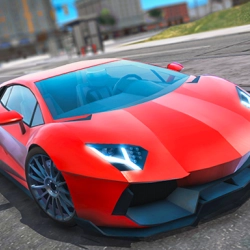
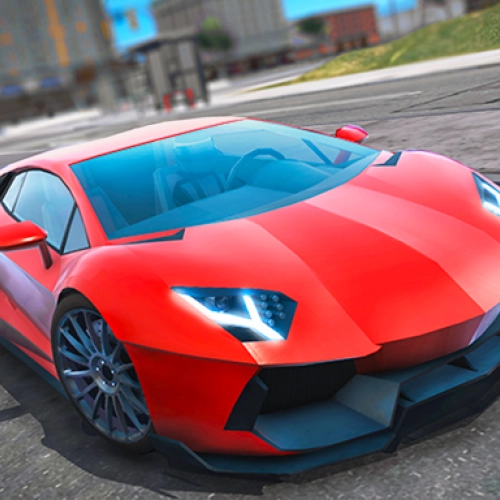
Madalin Stunt Cars 2 is my favorite kind of chaos: huge maps, giant ramps, and a garage full of ridiculous cars just begging to be launched into orbit. There’s no timer nagging you and no traffic to bonk into—just pure “can I land this?” energy. If you like discovering new lines and pulling cleaner tricks every run, you’ll live here.
What you actually do
Pick from a stack of hypercars, muscle monsters, and grippy little coupes, then explore three open stunt zones. It’s not a race—it’s a sandbox. You’ll find mega loops, corkscrews, tunnels, and sketchy rooftop transfers. The fun loop is simple: spot a feature → set your run-up → send it → adjust speed/angle → try again for a smoother landing. Ten minutes later you’re timing nitro bursts mid-ramp like a pro.
Clean handling, comfy physics
Cars slide just enough to feel stylish but still let you control landings. It rewards tiny inputs: a quick e-brake tap to square the car, a feathered nitro to clear a double gap, a mid-air lift to stop over-rotating. Mess up? Tap reset and you’re back at the start of your line in a second—no waiting, all practice.
Controls (learn these and you’re golden)
WASD/Arrows = drive • Shift = nitro • Space = e-brake drift • R = reset • C = change camera • T = ping the minimap for your next stunt spot. There’s also a multiplayer lobby if you want to squad up for sync backflips or airport drag races.
Try-hard tips
• Feather nitro on takeoff—short bursts keep the nose stable.
• Pre-line the ramp with a tiny e-brake tap; in-air fixes are way harder.
• Use the map smart: tallest loops hide in the industrial zone; longest run-ups live near the airfield.
Two related bangers to play next
• Madalin Stunt Cars Multiplayer — same physics, shared lobbies, double the flex.
• Drift Hunters — tune, slide, and link corners for style points all day.
Bottom line: Madalin Stunt Cars 2 is the stunt lab where “one more jump” turns into a full session, and your best trick is always the next one. Play it now on Classroom Center G.
What you actually do
Pick from a stack of hypercars, muscle monsters, and grippy little coupes, then explore three open stunt zones. It’s not a race—it’s a sandbox. You’ll find mega loops, corkscrews, tunnels, and sketchy rooftop transfers. The fun loop is simple: spot a feature → set your run-up → send it → adjust speed/angle → try again for a smoother landing. Ten minutes later you’re timing nitro bursts mid-ramp like a pro.
Clean handling, comfy physics
Cars slide just enough to feel stylish but still let you control landings. It rewards tiny inputs: a quick e-brake tap to square the car, a feathered nitro to clear a double gap, a mid-air lift to stop over-rotating. Mess up? Tap reset and you’re back at the start of your line in a second—no waiting, all practice.
Controls (learn these and you’re golden)
WASD/Arrows = drive • Shift = nitro • Space = e-brake drift • R = reset • C = change camera • T = ping the minimap for your next stunt spot. There’s also a multiplayer lobby if you want to squad up for sync backflips or airport drag races.
Try-hard tips
• Feather nitro on takeoff—short bursts keep the nose stable.
• Pre-line the ramp with a tiny e-brake tap; in-air fixes are way harder.
• Use the map smart: tallest loops hide in the industrial zone; longest run-ups live near the airfield.
Two related bangers to play next
• Madalin Stunt Cars Multiplayer — same physics, shared lobbies, double the flex.
• Drift Hunters — tune, slide, and link corners for style points all day.
Bottom line: Madalin Stunt Cars 2 is the stunt lab where “one more jump” turns into a full session, and your best trick is always the next one. Play it now on Classroom Center G.
MADALIN STUNT CARS 2 is free to play on Classroom Center G. It loads fast, runs in your browser and works on school Chromebooks — perfect for a quick 5–10 minute break.
How to play
WASD / arrow keys = drive around ## L-shift = use nitro ## Q = change image quality ## R = reset car's position ## Y = restart game ## T = show map ## F = full screen ## G = change auto / manual gear ## H = turn on / off police light ## J = change car's engine sound ## C = change camera view ## B = show center rearview mirror ## M (2x) = go to main menu ## Space = hand brake ##




























Comments( 0 )