- Home
- Center G Games
- MAD SHARK








































Center G · ClassroomCenterG.comThe place to play free games!
How was it?
About MAD SHARK
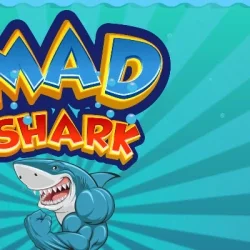
If “eat everything and dodge the explodey stuff” sounds like your love language, MAD SHARK is your new snack-run. You’re a hungry unit patrolling a side-scrolling reef while subs launch torpedoes, divers poke around with harpoons, and mines turn the water into a glittering nope-zone. The goal is simple: swim smart, chomp clean, rack points—then do it again, faster.
How it plays
Movement is super responsive, which matters when you’re threading gaps. Use Arrow keys (especially Up/Down) to weave between lanes and tap Space to bite. Some builds let you use Shift for a burst or shot-style attack; either way, timing is everything. Nab stars and fish for score, grab hearts for extra lives, and watch for temporary speed boosts that let you break through messy patterns.
Why it’s addictive
Early waves teach the shark’s hitbox and bite range. Then the sea gets crowded: torpedo lanes overlap, mine chains force diagonal lines, and subs pop in from screen edges. You’re constantly choosing micro-routes—rise over a mine line, snap a diver, dip under a sub—while your score multiplier climbs. It’s that perfect “one more run” loop where a tiny adjustment turns a near-miss into a chef’s-kiss escape.
Pro tips (from a cheerful sea menace)
• Live on diagonals: short, slanted moves beat big swings and keep your bite lined up.
• Read spawns: when a sub enters from the edge, expect a fast torpedo lane—shift one lane early.
• Farm safely: school clusters are free points until the screen gets noisy; bail the second you hear a torpedo cue.
• Boost with purpose: save bursts for layered hazards, not open water.
Two related splashes to queue next
• Raft Wars 2 — angle your shots, splash enemies, and defend your stash with bouncy physics.
• Fishing Frenzy — quick-fire hooks, upgrades, and a satisfying arcade loop when you want chill points.
How it plays
Movement is super responsive, which matters when you’re threading gaps. Use Arrow keys (especially Up/Down) to weave between lanes and tap Space to bite. Some builds let you use Shift for a burst or shot-style attack; either way, timing is everything. Nab stars and fish for score, grab hearts for extra lives, and watch for temporary speed boosts that let you break through messy patterns.
Why it’s addictive
Early waves teach the shark’s hitbox and bite range. Then the sea gets crowded: torpedo lanes overlap, mine chains force diagonal lines, and subs pop in from screen edges. You’re constantly choosing micro-routes—rise over a mine line, snap a diver, dip under a sub—while your score multiplier climbs. It’s that perfect “one more run” loop where a tiny adjustment turns a near-miss into a chef’s-kiss escape.
Pro tips (from a cheerful sea menace)
• Live on diagonals: short, slanted moves beat big swings and keep your bite lined up.
• Read spawns: when a sub enters from the edge, expect a fast torpedo lane—shift one lane early.
• Farm safely: school clusters are free points until the screen gets noisy; bail the second you hear a torpedo cue.
• Boost with purpose: save bursts for layered hazards, not open water.
Two related splashes to queue next
• Raft Wars 2 — angle your shots, splash enemies, and defend your stash with bouncy physics.
• Fishing Frenzy — quick-fire hooks, upgrades, and a satisfying arcade loop when you want chill points.
MAD SHARK is free to play on Classroom Center G. It loads fast, runs in your browser and works on school Chromebooks — perfect for a quick 5–10 minute break.
How to play
ARROW keys for playing.


























Comments( 0 )