- Home
- Center G Games
- FUNNY SHOOTER 3D








































Center G · ClassroomCenterG.comThe place to play free games!
How was it?
About FUNNY SHOOTER 3D
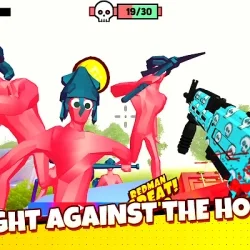
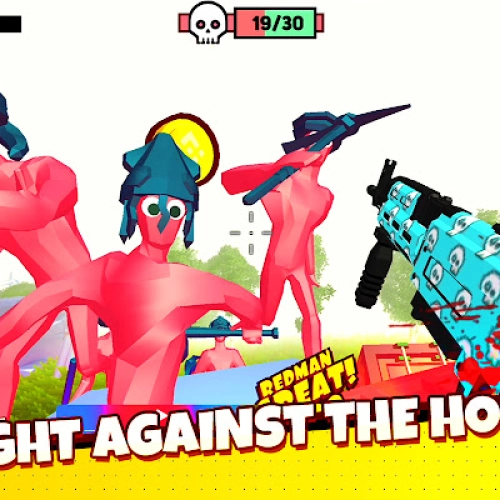
Funny Shooter 3D is the kind of game you boot “for five minutes” and then realize you’ve blasted through twenty waves and your snack is cold. It’s a wave-based FPS where goofy-looking enemies still smack hard if you stop moving, so you’ve gotta keep your feet light and your reloads smarter than your panic.
How it plays
WASD to move, mouse to aim/shoot, R to reload, and don’t forget grenades when the map turns into a traffic jam of red dudes. Swap to heavier guns for clumped mobs, then go back to fast-firing weapons for cleanup. Early waves let you warm up; later waves spawn from multiple angles, so start circle-strafing and funneling enemies into straight lines for easy headshots.
Guns & upgrades
You cycle through a solid loadout: reliable rifles, chunking shotguns, splashy launchers, plus throwables for burst damage. Keep an eye on ammo economy—reloading at the wrong time is how runs end. If there’s a shop or pickups between rounds, prioritize damage first (less time exposed) and then survivability. A tiny boost to reload speed or mag size can be the difference between “clutch” and “ouch.”
Pro tips (from someone who definitely panic-reloads)
1) Aim chest then flick up—easier than chasing pure headshots.
2) Kite in big ovals, not tiny circles; tight turns kill your DPS and make ranged shots miss less.
3) Grenade discipline: backpedal to stack enemies, then toss—free multikills.
4) Sound = survival. Footstep and spawn cues tell you when to rotate before you get boxed in.
Why it’s addicting
No key hunts, no corny puzzles—just clean arenas, readable visuals, and a “one more wave” loop that keeps you chasing a better PB. It runs smooth in-browser, so it’s perfect for quick breaks or a late-night grind when you should be asleep (oops).
Two related blasts when you need a remix:
• Funny Shooter 2 — same chaotic energy, fresh arenas and enemy patterns.
• Time Shooter 3: SWAT — time bends when you move; plan shots like a mastermind.
Grab your loadout and dive in. For more fast FPS hits, check the homepage: Classroom Games.
Classroom Center G
How it plays
WASD to move, mouse to aim/shoot, R to reload, and don’t forget grenades when the map turns into a traffic jam of red dudes. Swap to heavier guns for clumped mobs, then go back to fast-firing weapons for cleanup. Early waves let you warm up; later waves spawn from multiple angles, so start circle-strafing and funneling enemies into straight lines for easy headshots.
Guns & upgrades
You cycle through a solid loadout: reliable rifles, chunking shotguns, splashy launchers, plus throwables for burst damage. Keep an eye on ammo economy—reloading at the wrong time is how runs end. If there’s a shop or pickups between rounds, prioritize damage first (less time exposed) and then survivability. A tiny boost to reload speed or mag size can be the difference between “clutch” and “ouch.”
Pro tips (from someone who definitely panic-reloads)
1) Aim chest then flick up—easier than chasing pure headshots.
2) Kite in big ovals, not tiny circles; tight turns kill your DPS and make ranged shots miss less.
3) Grenade discipline: backpedal to stack enemies, then toss—free multikills.
4) Sound = survival. Footstep and spawn cues tell you when to rotate before you get boxed in.
Why it’s addicting
No key hunts, no corny puzzles—just clean arenas, readable visuals, and a “one more wave” loop that keeps you chasing a better PB. It runs smooth in-browser, so it’s perfect for quick breaks or a late-night grind when you should be asleep (oops).
Two related blasts when you need a remix:
• Funny Shooter 2 — same chaotic energy, fresh arenas and enemy patterns.
• Time Shooter 3: SWAT — time bends when you move; plan shots like a mastermind.
Grab your loadout and dive in. For more fast FPS hits, check the homepage: Classroom Games.
Classroom Center G
FUNNY SHOOTER 3D is free to play on Classroom Center G. It loads fast, runs in your browser and works on school Chromebooks — perfect for a quick 5–10 minute break.
How to play
Move mouse = look around ## WASD = move ## Hold Shift = run ## Space = jump ## Left-click = shoot ## Right-click = Aim ## Mouse wheel = next/leading weapon ## 1-7 = weapon hotkeys ## R = reload ## F = knife attack 1 ## Q = knife attack 2 ## G = throw a grenade ## T = inspect the weapon ## E = remove / remove weapon ##


























Comments( 0 )