- Home
- Center G Games
- FUNNY SHOOTER 2








































Center G · ClassroomCenterG.comThe place to play free games!
How was it?
About FUNNY SHOOTER 2
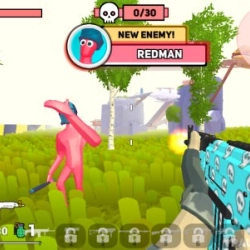
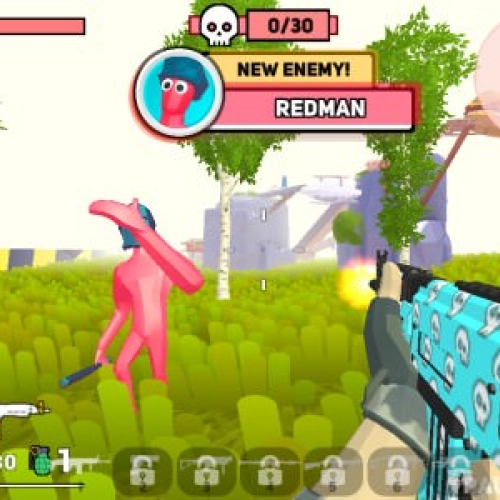
Funny Shooter 2 is the kind of FPS that grabs you by the hoodie and yells “one more wave!” until you forget what time it is. It’s simple on paper—survive rounds of goofy enemies and the occasional chunky boss—but the pace and enemy variety make every run feel different. One minute you’re kiting a parade of weirdos, the next you’re lining up a clutch rocket to stop a mini-stampede.
Gameplay loop
You spawn in tight arenas, scoop coins, and clear waves with a mix of primaries, shotguns, and heavy launchers. The rhythm is part shooter, part little strategy game: keep distance, group mobs with wide strafes, then delete the bundle with blasts. Coins fuel upgrades, so finishing waves clean (without taking random chip damage) matters more than flexing high-DPI spins.
Upgrades that actually help
Health boosts let you tank a mistake without losing the run. Grenade power turns panic tosses into room clears. And the coin magnet means you don’t leave half your wallet on the floor while sprinting to the next spawn. Cosmetics roll in as you stack achievements, but the real drip is a build that melts bosses.
Combat tips from the grind
1) Herd first, nuke second—circle-strafe to bunch enemies, then pop a grenade before swapping to your main.
2) Shotguns for close panic, rifle for mid-lane cleanup, rockets only for thick clusters or boss punish windows.
3) Reload behind hard cover; standing in the open is how “almost perfect” turns into instant respawn.
4) Listen for audio tells—bigger enemies telegraph slams or volleys. Bait the swing, step out, punish, repeat.
Why it sticks
Quick restarts, loud feedback, and upgrades that snowball make Funny Shooter 2 the perfect “between classes” grind. You improve run to run—cleaner routes, smarter ammo use, faster wave clears. It’s chaotic, goofy, and way more strategic than it looks at first glance.
Two related shooters to keep your aim hot:
• Armed Forces IO — crisp hitscan duels on compact maps.
• Time Shooter 3: SWAT — slow time, plan angles, win with brains not spam.
Play more and find Funny Shooter 2 on Classroom Center Gplus.
Gameplay loop
You spawn in tight arenas, scoop coins, and clear waves with a mix of primaries, shotguns, and heavy launchers. The rhythm is part shooter, part little strategy game: keep distance, group mobs with wide strafes, then delete the bundle with blasts. Coins fuel upgrades, so finishing waves clean (without taking random chip damage) matters more than flexing high-DPI spins.
Upgrades that actually help
Health boosts let you tank a mistake without losing the run. Grenade power turns panic tosses into room clears. And the coin magnet means you don’t leave half your wallet on the floor while sprinting to the next spawn. Cosmetics roll in as you stack achievements, but the real drip is a build that melts bosses.
Combat tips from the grind
1) Herd first, nuke second—circle-strafe to bunch enemies, then pop a grenade before swapping to your main.
2) Shotguns for close panic, rifle for mid-lane cleanup, rockets only for thick clusters or boss punish windows.
3) Reload behind hard cover; standing in the open is how “almost perfect” turns into instant respawn.
4) Listen for audio tells—bigger enemies telegraph slams or volleys. Bait the swing, step out, punish, repeat.
Why it sticks
Quick restarts, loud feedback, and upgrades that snowball make Funny Shooter 2 the perfect “between classes” grind. You improve run to run—cleaner routes, smarter ammo use, faster wave clears. It’s chaotic, goofy, and way more strategic than it looks at first glance.
Two related shooters to keep your aim hot:
• Armed Forces IO — crisp hitscan duels on compact maps.
• Time Shooter 3: SWAT — slow time, plan angles, win with brains not spam.
Play more and find Funny Shooter 2 on Classroom Center Gplus.
FUNNY SHOOTER 2 is free to play on Classroom Center G. It loads fast, runs in your browser and works on school Chromebooks — perfect for a quick 5–10 minute break.
How to play
Move - WASD ### Pause - Tab ### Shift - Run ### Reload - R ### Throw grenade - G ### Switch Weapons - Numeric keys 1 to 7 ### Quick switch - Mouse wheel ### Shoot - Left mouse button ### Aim - Right mouse button ###


























Comments( 0 )