







































Center G · ClassroomCenterG.comThe place to play free games!
How was it?
About CRAZY CARS
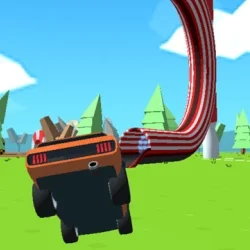
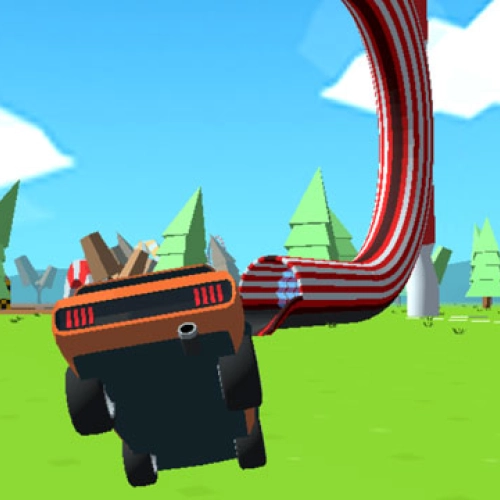
Crazy Cars isn’t your boring “drive in circles” racing game. Nope, this one throws you into a giant open map filled with ramps, loops, and insane challenges where half the fun is just seeing how far you can yeet your car before it explodes into a reset. Think of it as a mix between a racing sim and a stunt park, where the only rule is to send it harder than last time.
Gameplay vibes
You start with a basic ride, but the map is scattered with stars and wrenches that act like treasure hunts. Collecting them unlocks more than 17 cars, each one handling differently. Lighter cars fly higher off ramps, while heavier ones grip better for those twisty loop sections. The coolest challenge? Trying to climb “Mount Egg,” a huge ramped mountain that’s basically the game’s ultimate boss fight for your driving skills.
Controls
Super simple: WASD/Arrows to steer, Space to brake, and R to reset when you inevitably land sideways. The physics are wild but fair, so when you finally stick that triple roll and still land on your wheels, it feels legendary. Every run teaches you a new angle or a sneaky shortcut that makes the map more fun the deeper you explore.
Why it’s addictive
Because no two runs feel the same. One second you’re cruising for easy stars, the next you’re accidentally pulling off a stunt that looks like a highlight reel. And if you’ve got a buddy nearby, split-screen multiplayer turns the game into a straight-up competition—who can grab the stars faster, or who can knock the other off a ramp first.
Tips for climbing the ranks
• Don’t floor it every time. Sometimes feathering the gas gives you cleaner landings.
• Farm the easy routes early. Upgrades make the crazier ramps less punishing.
• Experiment with cars. Some trucks are way better for certain jumps.
If you liked Crazy Cars, check these out too:
• Stunt Car Challenge 3 – even more ramps and tight precision driving.
• Top Speed Racing 3D – a free-roam racer with upgrades and drift-heavy tracks.
Bottom line: Crazy Cars is pure arcade energy, perfect when you just want to mess around, chase collectibles, and laugh at your own crashes. For more stunt-packed driving fun, hit up ClassroomCenterG where all the best unblocked racers live.
Gameplay vibes
You start with a basic ride, but the map is scattered with stars and wrenches that act like treasure hunts. Collecting them unlocks more than 17 cars, each one handling differently. Lighter cars fly higher off ramps, while heavier ones grip better for those twisty loop sections. The coolest challenge? Trying to climb “Mount Egg,” a huge ramped mountain that’s basically the game’s ultimate boss fight for your driving skills.
Controls
Super simple: WASD/Arrows to steer, Space to brake, and R to reset when you inevitably land sideways. The physics are wild but fair, so when you finally stick that triple roll and still land on your wheels, it feels legendary. Every run teaches you a new angle or a sneaky shortcut that makes the map more fun the deeper you explore.
Why it’s addictive
Because no two runs feel the same. One second you’re cruising for easy stars, the next you’re accidentally pulling off a stunt that looks like a highlight reel. And if you’ve got a buddy nearby, split-screen multiplayer turns the game into a straight-up competition—who can grab the stars faster, or who can knock the other off a ramp first.
Tips for climbing the ranks
• Don’t floor it every time. Sometimes feathering the gas gives you cleaner landings.
• Farm the easy routes early. Upgrades make the crazier ramps less punishing.
• Experiment with cars. Some trucks are way better for certain jumps.
If you liked Crazy Cars, check these out too:
• Stunt Car Challenge 3 – even more ramps and tight precision driving.
• Top Speed Racing 3D – a free-roam racer with upgrades and drift-heavy tracks.
Bottom line: Crazy Cars is pure arcade energy, perfect when you just want to mess around, chase collectibles, and laugh at your own crashes. For more stunt-packed driving fun, hit up ClassroomCenterG where all the best unblocked racers live.
CRAZY CARS is free to play on Classroom Center G. It loads fast, runs in your browser and works on school Chromebooks — perfect for a quick 5–10 minute break.
How to play
WASD or ARROW keys for playing.




























Comments( 0 )