- Home
- Center G Games
- SUBWAY RUNNER PRINCESS








































Center G · ClassroomCenterG.comThe place to play free games!
How was it?
About SUBWAY RUNNER PRINCESS
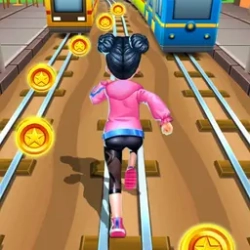
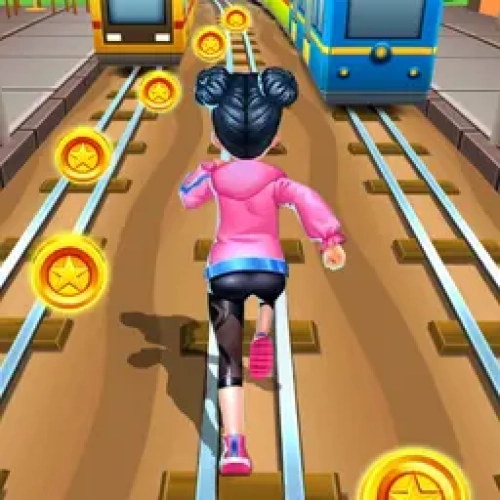
If you like runners that start chill and suddenly go “whoa, this is fast,” Subway Princess Runner is your new grind. It’s a three-lane sprint through trains, cones, and sneaky taxis where every half-second matters. You swap lanes, jump, and slide like a ninja, scoop coins, and pray the next corner isn’t a barricade party. It’s the ultimate “one more run” game—short rounds that snowball into sweaty high-score chases.
How it plays (PC & mobile)
On desktop, tap Arrow Keys/WASD to move, Up to jump, and Down to slide. On phones/tablets, it’s all swipes—left/right to lane-change, up to hop, down to duck. The speed ramps smoothly, so early runs are for reading patterns; later, it’s pure reflex mode. Pro tip: hang mid-lane until you spot danger—having two escape routes saves runs.
Power-ups that matter
Magnet sucks in coins so you can focus on dodging. Jetpack sends you skyward for a coin shower and a breather. Shield eats one mistake (clutch when the pace spikes). Stack coins to unlock outfits and characters—fresh looks, same physics—so wins still come from skill, not stats.
Ways to score bigger
• Chain a slide → jump to pass low/high obstacle combos without panic.
• Commit early on split tracks; last-second flicks cause 90% of train face-plants.
• With Magnet active, stop chasing coins—pick the safest lane and let them come to you.
• Look two tiles ahead; planning one move ahead turns chaos into rhythm.
Why it’s addictive
Every run teaches something—how to time a double barrier, when to risk a gap, when to chill and live. It runs smooth right in your browser with zero downloads, so you can pop in for a quick PB hunt between classes. Fire it up on ClassroomCenterG.com and you’re sprinting in seconds.
If you like this, try two related bangers:
• Subway Surfers — classic city sprinting with crisp lane swaps and tight dodges.
• Temple Run 2 — jungle speedruns, sharp turns, and heart-pounding saves.
Bottom line: Subway Princess Runner nails that fast-twitch flow where smart reads and clean swipes feel legendary. See you on the tracks!
Classroom Center
How it plays (PC & mobile)
On desktop, tap Arrow Keys/WASD to move, Up to jump, and Down to slide. On phones/tablets, it’s all swipes—left/right to lane-change, up to hop, down to duck. The speed ramps smoothly, so early runs are for reading patterns; later, it’s pure reflex mode. Pro tip: hang mid-lane until you spot danger—having two escape routes saves runs.
Power-ups that matter
Magnet sucks in coins so you can focus on dodging. Jetpack sends you skyward for a coin shower and a breather. Shield eats one mistake (clutch when the pace spikes). Stack coins to unlock outfits and characters—fresh looks, same physics—so wins still come from skill, not stats.
Ways to score bigger
• Chain a slide → jump to pass low/high obstacle combos without panic.
• Commit early on split tracks; last-second flicks cause 90% of train face-plants.
• With Magnet active, stop chasing coins—pick the safest lane and let them come to you.
• Look two tiles ahead; planning one move ahead turns chaos into rhythm.
Why it’s addictive
Every run teaches something—how to time a double barrier, when to risk a gap, when to chill and live. It runs smooth right in your browser with zero downloads, so you can pop in for a quick PB hunt between classes. Fire it up on ClassroomCenterG.com and you’re sprinting in seconds.
If you like this, try two related bangers:
• Subway Surfers — classic city sprinting with crisp lane swaps and tight dodges.
• Temple Run 2 — jungle speedruns, sharp turns, and heart-pounding saves.
Bottom line: Subway Princess Runner nails that fast-twitch flow where smart reads and clean swipes feel legendary. See you on the tracks!
Classroom Center
SUBWAY RUNNER PRINCESS is free to play on Classroom Center G. It loads fast, runs in your browser and works on school Chromebooks — perfect for a quick 5–10 minute break.


























Comments( 0 )