- Home
- Center G Games
- SPRINTER








































Center G · ClassroomCenterG.comThe place to play free games!

How was it?
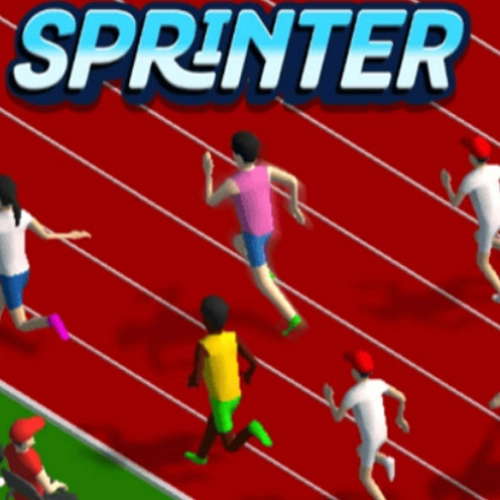
About SPRINTER
Sprinter throws you on the track with one mission: hit a perfect rhythm and don’t choke when the finish tape shows up. No perks or pay-to-win—just you, the lane, and opponents who get faster every heat. It starts friendly, then the pace climbs until your hands feel like they’re doing a drum solo.
How it plays
Alternate the left/right arrows (or A/D) to build stride. The trick is tempo, not mashing. Too fast and you trip your cadence, too slow and you’ll watch everyone else blast past. Starts matter—count a calm “1–2–go” so you don’t spike and stutter. Mid-race, lock into a steady beat; in the final 20 meters, squeeze a tiny surge without losing that rhythm.
Why it’s low-key genius
The whole game is a timing puzzle. There’s no upgrade menu to bail you out—your PBs come from cleaner inputs and better focus. The lane visuals are super clean so your eyes stay on stride, and the opponents scale just enough to push you without feeling unfair. It’s the perfect “between classes” challenge: a heat takes seconds, but chasing that sub-time will eat your lunchtime.
Real tips from the grind
— Drum roll start: begin slightly under max speed, then ramp smoothly.
— Metronome mode: imagine a beat (tap your foot if it helps) and match your key alternates to it.
— Eyes up: glance down-track, not at your runner’s feet; it keeps your rhythm stable.
— Micro-kick: last 15–20m, quicken the beat by one notch—don’t panic spam.
Two related picks for your training arc
Athletics Hero — sprints, hurdles, and more timing events to sharpen reaction and pacing.
Speed Stars — perfect-timed taps and clean splits for that leaderboard grind.
Final burst: If your thumbs are ready for the 100m gauntlet, queue up Sprinter and chase your next PB on our homepage: Classroom CenterG Online
How it plays
Alternate the left/right arrows (or A/D) to build stride. The trick is tempo, not mashing. Too fast and you trip your cadence, too slow and you’ll watch everyone else blast past. Starts matter—count a calm “1–2–go” so you don’t spike and stutter. Mid-race, lock into a steady beat; in the final 20 meters, squeeze a tiny surge without losing that rhythm.
Why it’s low-key genius
The whole game is a timing puzzle. There’s no upgrade menu to bail you out—your PBs come from cleaner inputs and better focus. The lane visuals are super clean so your eyes stay on stride, and the opponents scale just enough to push you without feeling unfair. It’s the perfect “between classes” challenge: a heat takes seconds, but chasing that sub-time will eat your lunchtime.
Real tips from the grind
— Drum roll start: begin slightly under max speed, then ramp smoothly.
— Metronome mode: imagine a beat (tap your foot if it helps) and match your key alternates to it.
— Eyes up: glance down-track, not at your runner’s feet; it keeps your rhythm stable.
— Micro-kick: last 15–20m, quicken the beat by one notch—don’t panic spam.
Two related picks for your training arc
Athletics Hero — sprints, hurdles, and more timing events to sharpen reaction and pacing.
Speed Stars — perfect-timed taps and clean splits for that leaderboard grind.
Final burst: If your thumbs are ready for the 100m gauntlet, queue up Sprinter and chase your next PB on our homepage: Classroom CenterG Online
SPRINTER is free to play on Classroom Center G. It loads fast, runs in your browser and works on school Chromebooks — perfect for a quick 5–10 minute break.
How to play
Play with LEFT AND RIGHT keys.


























Comments( 0 )