- Home
- Center G Games
- RIDDLE TRANSFER 2








































Center G · ClassroomCenterG.comThe place to play free games!
How was it?
About RIDDLE TRANSFER 2
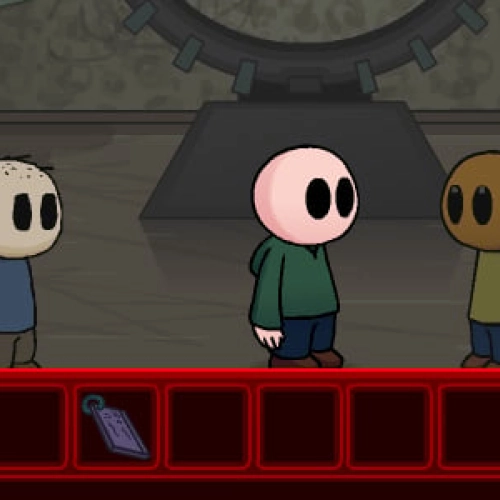
Riddle Transfer 2 wraps up Phil Eggtree’s point-and-click saga with puzzles that actually respect your brain. It’s classic escape-room energy: scour each room, grab weird items, mash them together (smartly), and use clues hidden in jokes, posters, and throwaway lines. When something clicks, it really clicks, and you feel like a detective who also enjoys terrible puns.
How it plays
Everything’s mouse-driven—click to move, inspect, and combine. Each area is a little puzzle box: number pads that want patterns (not random spam), panels that light up in a specific order, and inventory tools that work in more than one place. Talk to everyone twice; characters love to drop hints after the punchline. The pacing’s tight, too: no pixel-hunting marathons, just clean logic chains that reward paying attention.
Why it’s fun (yes, even when you’re stuck)
The writing’s snappy without wasting your time. Dialogue doubles as a hint system, so reading is actually useful. Visual gags pull double duty, too—wall doodles, floor markings, and monitor screens often nudge you toward the right combo or code. And when you loop back to an earlier room with a new item and everything lines up? Chef’s kiss.
Pro tips from a puzzle-gremlin
• Label patterns. When a device blinks or beeps, note the sequence in your head (or on paper) before you leave the room.
• Test cross-room utility. If an item seems “done,” try it somewhere new; RT2 loves multi-use tools.
• Read item descriptions. The joke is funny, but the second sentence is often the hint.
Who should play?
If you dig smart logic over random guessing, this is your jam. New players can jump in fine, but series fans will appreciate how the story threads finally land. Runs smoothly in your browser, so it’s perfect for “one puzzle before homework”… that becomes three, oops.
Two related mysteries to queue next
• Riddle Transfer — the lead-in caper that sets up the finale’s payoffs.
• Riddle School — where Phil’s strange adventures begin, with classroom-escape shenanigans.
Ready to finish the case? Play Riddle Transfer 2 now and keep the brain cells buzzing on Classroom Center Games.
Classroom Center G
How it plays
Everything’s mouse-driven—click to move, inspect, and combine. Each area is a little puzzle box: number pads that want patterns (not random spam), panels that light up in a specific order, and inventory tools that work in more than one place. Talk to everyone twice; characters love to drop hints after the punchline. The pacing’s tight, too: no pixel-hunting marathons, just clean logic chains that reward paying attention.
Why it’s fun (yes, even when you’re stuck)
The writing’s snappy without wasting your time. Dialogue doubles as a hint system, so reading is actually useful. Visual gags pull double duty, too—wall doodles, floor markings, and monitor screens often nudge you toward the right combo or code. And when you loop back to an earlier room with a new item and everything lines up? Chef’s kiss.
Pro tips from a puzzle-gremlin
• Label patterns. When a device blinks or beeps, note the sequence in your head (or on paper) before you leave the room.
• Test cross-room utility. If an item seems “done,” try it somewhere new; RT2 loves multi-use tools.
• Read item descriptions. The joke is funny, but the second sentence is often the hint.
Who should play?
If you dig smart logic over random guessing, this is your jam. New players can jump in fine, but series fans will appreciate how the story threads finally land. Runs smoothly in your browser, so it’s perfect for “one puzzle before homework”… that becomes three, oops.
Two related mysteries to queue next
• Riddle Transfer — the lead-in caper that sets up the finale’s payoffs.
• Riddle School — where Phil’s strange adventures begin, with classroom-escape shenanigans.
Ready to finish the case? Play Riddle Transfer 2 now and keep the brain cells buzzing on Classroom Center Games.
Classroom Center G
RIDDLE TRANSFER 2 is free to play on Classroom Center G. It loads fast, runs in your browser and works on school Chromebooks — perfect for a quick 5–10 minute break.
How to play
Game is played with mouse.


























Comments( 0 )