- Home
- Center G Games
- PING PONG CHAOS








































Center G · ClassroomCenterG.comThe place to play free games!
How was it?
About PING PONG CHAOS
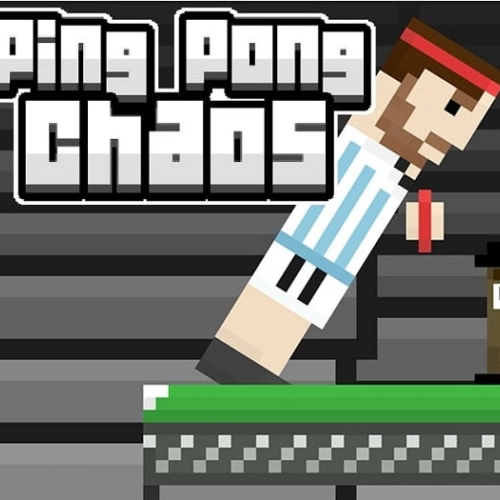
If normal ping-pong is chess, Ping Pong Chaos is dodgeball with paddles. You and your opponent wobble across a tiny table while the ball decides to be a marble one round and a beach ball the next. Courts tilt, bounce gets weird, and every rally feels like it could end in a miracle save or a total whiff. It’s simple to start, but the chaos is where the skill kicks in.
Controls & feel
Move left/right and time your jumps to meet the ball clean. Contact angles matter a ton—tap-jump to dink it short or hit later to drive it past your rival. The physics sell the comedy: when the ball fattens up or the table gets spicy, positioning beats mashing every time. Runs great in your browser, so it’s perfect for quick matches on school laptops—no installs, just play at ClassroomCenterG.com.
Modes you’ll spam
Solo vs CPU for warm-ups, sweaty 2-player duels for bragging rights, and mini tournaments when you’ve got a squad. Match modifiers keep rematches fresh—odd ball sizes, tricky bounces, and goofy arena twists that flip momentum mid-point. You won’t “solve” it; you’ll adapt, round by round.
Quick tips (from someone who got farmed, then learned)
• Own the center line so you can reach both corners fast.
• Short hops beat full sends—stay balanced to react to funky bounces.
• Aim for contact at peak jump for stronger angles.
• When the ball goes jumbo, push your rival back with safe, high returns, then snipe the open side.
Why it’s addictive
Points swing on tiny reads—one clutch jump, one goofy ricochet, and suddenly the crowd (okay, your friends) is yelling. It’s that perfect mix of “I’m laughing” and “I’m locked in.”
Two more physics-sports to master next
• Tennis Physics — same chaotic timing, bigger court, hilarious rallies.
• Volley Random — unpredictable spikes and wild jump arcs that reward quick reads.
Bottom line: Ping Pong Chaos turns every rally into a highlight reel of lucky saves and smart angles. Easy to learn, endlessly rematchable—see you at the table.
Classroom Center G
Controls & feel
Move left/right and time your jumps to meet the ball clean. Contact angles matter a ton—tap-jump to dink it short or hit later to drive it past your rival. The physics sell the comedy: when the ball fattens up or the table gets spicy, positioning beats mashing every time. Runs great in your browser, so it’s perfect for quick matches on school laptops—no installs, just play at ClassroomCenterG.com.
Modes you’ll spam
Solo vs CPU for warm-ups, sweaty 2-player duels for bragging rights, and mini tournaments when you’ve got a squad. Match modifiers keep rematches fresh—odd ball sizes, tricky bounces, and goofy arena twists that flip momentum mid-point. You won’t “solve” it; you’ll adapt, round by round.
Quick tips (from someone who got farmed, then learned)
• Own the center line so you can reach both corners fast.
• Short hops beat full sends—stay balanced to react to funky bounces.
• Aim for contact at peak jump for stronger angles.
• When the ball goes jumbo, push your rival back with safe, high returns, then snipe the open side.
Why it’s addictive
Points swing on tiny reads—one clutch jump, one goofy ricochet, and suddenly the crowd (okay, your friends) is yelling. It’s that perfect mix of “I’m laughing” and “I’m locked in.”
Two more physics-sports to master next
• Tennis Physics — same chaotic timing, bigger court, hilarious rallies.
• Volley Random — unpredictable spikes and wild jump arcs that reward quick reads.
Bottom line: Ping Pong Chaos turns every rally into a highlight reel of lucky saves and smart angles. Easy to learn, endlessly rematchable—see you at the table.
Classroom Center G
PING PONG CHAOS is free to play on Classroom Center G. It loads fast, runs in your browser and works on school Chromebooks — perfect for a quick 5–10 minute break.
How to play
Player 1 Controls ### W to jump left ## E to jump right ## Player 2 Controls ### I to jump left ## O to jump right ##


























Comments( 0 )