- Home
- Center G Games
- GOBDUN








































Center G · ClassroomCenterG.comThe place to play free games!

How was it?
About GOBDUN
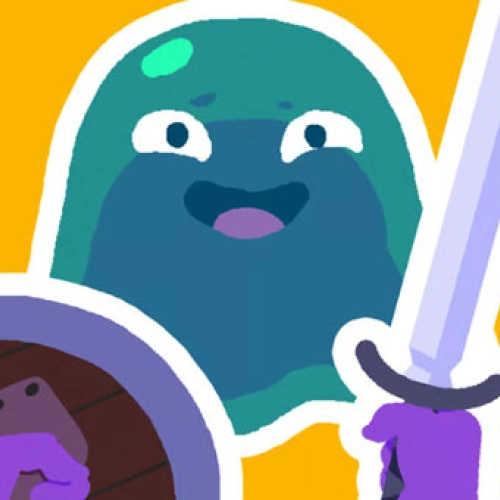
Gobdun looks simple—sword, shield, dark halls—but the dungeon is petty and absolutely out to get you. Tight corridors hide spike tiles, swinging axes, and mobs that love third-partying the second you get greedy. Every room is a tiny boss fight: peek the corner, bait the swing, block clean, then punish with quick slashes. Mistime once and the floor reminds you who’s in charge.
What you actually do
You’ll crawl through a stacked tower of rooms that escalate from “okay, I got this” to “why is the wall attacking me?” Enemies telegraph with chunky wind-ups—learn them. The shield isn’t just decoration; a perfect block staggers, opening space for two light cuts before you backstep. Corners and pillars are your besties for line-of-sight breaks and safe resets.
Coins, machines, and the big decisions
Random vending machines show up between scraps. Spend coins on clutch heals, damage bumps, or short buffs that turn a sketchy room into a montage. Real talk: don’t impulse-buy after an easy clear. Save for the ugly floors where traps and elites team up. Smart economy = deeper runs.
Auto mode (training wheels, not autopilot)
Auto is great for farming chill rooms or stabilizing after a scuffed fight. But late floors need your hands—manual blocks, tight strafes, and patience. Toggle it like a tool, not a carry.
Survival tips from a sweaty first-timer
• Pull packs in small bites; backpedal to split aggro.
• Strafe heavies—wide arcs beat panic rolls in hallways.
• Let enemies eat the traps; you keep your HP and dignity.
• Heal before a spike in difficulty, not after you’re one hit from rip.
Two related adventures when you need a breather (lol, you won’t)
• Knight Hero Adventure — classic melee duels, clutch parries, clean upgrade loops.
• Arcane Archer — keep your distance, land perfect headshots, and kite like a legend.
Bottom line: Gobdun is all timing and nerves—block like your life depends on it (it does), spend coins smart, and treat every doorway like it could end the run. Ready to descend again? Play free on Classroom Center G+.
What you actually do
You’ll crawl through a stacked tower of rooms that escalate from “okay, I got this” to “why is the wall attacking me?” Enemies telegraph with chunky wind-ups—learn them. The shield isn’t just decoration; a perfect block staggers, opening space for two light cuts before you backstep. Corners and pillars are your besties for line-of-sight breaks and safe resets.
Coins, machines, and the big decisions
Random vending machines show up between scraps. Spend coins on clutch heals, damage bumps, or short buffs that turn a sketchy room into a montage. Real talk: don’t impulse-buy after an easy clear. Save for the ugly floors where traps and elites team up. Smart economy = deeper runs.
Auto mode (training wheels, not autopilot)
Auto is great for farming chill rooms or stabilizing after a scuffed fight. But late floors need your hands—manual blocks, tight strafes, and patience. Toggle it like a tool, not a carry.
Survival tips from a sweaty first-timer
• Pull packs in small bites; backpedal to split aggro.
• Strafe heavies—wide arcs beat panic rolls in hallways.
• Let enemies eat the traps; you keep your HP and dignity.
• Heal before a spike in difficulty, not after you’re one hit from rip.
Two related adventures when you need a breather (lol, you won’t)
• Knight Hero Adventure — classic melee duels, clutch parries, clean upgrade loops.
• Arcane Archer — keep your distance, land perfect headshots, and kite like a legend.
Bottom line: Gobdun is all timing and nerves—block like your life depends on it (it does), spend coins smart, and treat every doorway like it could end the run. Ready to descend again? Play free on Classroom Center G+.
GOBDUN is free to play on Classroom Center G. It loads fast, runs in your browser and works on school Chromebooks — perfect for a quick 5–10 minute break.
How to play
Move around - WASD or Arrow Keys ## Attack - W or Upward arrow ## Defend - (Hold down) S or Downward arrow


























Comments( 0 )