







































Center G · ClassroomCenterG.comThe place to play free games!
How was it?
About CRAZY KARTS 3D
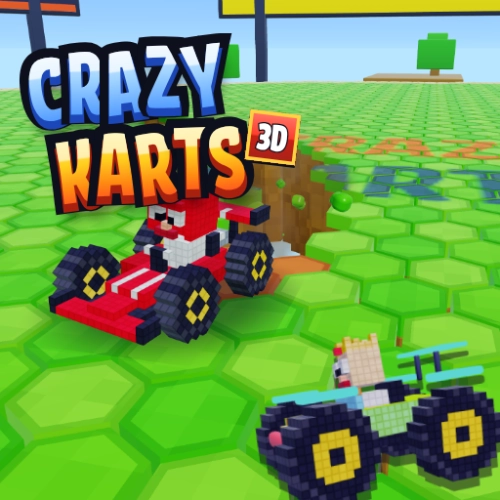
Crazy Karts 3D is a free online kart battle with blocky 3D graphics, where the ground disappears as you drive. Every hexagon block you roll over crumbles and drops away, leaving a trail of holes behind you. Bump the other karts into those holes and stay on the floor longer than everyone else to win the Smash Royale.
Races are short and full of action. Hold a hard turn to drift and let go for a turbo boost. Jump, and double jump, over gaps. Grab power boxes for homing rockets, bombs, wings, shields and super jumps. As the race goes on, trails get wider and the arena shrinks, so every second counts.
Play the career with 40 events across 5 cups: Pixel Woods, Block Park, Ice Islands, Neon City and Speedway. Earn coins and XP to style and upgrade your kart, or jump into a quick race. Want to beat your friends? Make an online friends room, send the link and race together. Empty seats fill up with other racers in seconds.
Crazy Karts 3D loads fast and runs in the browser on Chromebooks, laptops, tablets and phones. Nothing to download. If you like car games, racing games, race survival, race arena and io-style battle games, this one is for you.
*How do I win in Crazy Karts 3D?*
Be the last kart still on the floor. Bump others into holes, avoid your own trail and use jumps and wings to save yourself.
*Can I play with friends?*
Yes. Choose Online → Play with friends, then send the room link. Your friends join with the link or the 5-character room code.
*Is it free?*
Yes, it's free to play in your browser on ClassroomCenterG.com.
Races are short and full of action. Hold a hard turn to drift and let go for a turbo boost. Jump, and double jump, over gaps. Grab power boxes for homing rockets, bombs, wings, shields and super jumps. As the race goes on, trails get wider and the arena shrinks, so every second counts.
Play the career with 40 events across 5 cups: Pixel Woods, Block Park, Ice Islands, Neon City and Speedway. Earn coins and XP to style and upgrade your kart, or jump into a quick race. Want to beat your friends? Make an online friends room, send the link and race together. Empty seats fill up with other racers in seconds.
Crazy Karts 3D loads fast and runs in the browser on Chromebooks, laptops, tablets and phones. Nothing to download. If you like car games, racing games, race survival, race arena and io-style battle games, this one is for you.
*How do I win in Crazy Karts 3D?*
Be the last kart still on the floor. Bump others into holes, avoid your own trail and use jumps and wings to save yourself.
*Can I play with friends?*
Yes. Choose Online → Play with friends, then send the room link. Your friends join with the link or the 5-character room code.
*Is it free?*
Yes, it's free to play in your browser on ClassroomCenterG.com.
CRAZY KARTS 3D is free to play on Classroom Center G. It loads fast, runs in your browser and works on school Chromebooks — perfect for a quick 5–10 minute break.
How to play
| Steer | Left and right arrows, or A and D | Joystick on the left: drag sideways | | Drift and turbo | Hold a hard turn, then let go | Push the joystick all the way, then let go | | Jump and double jump | Space (press again in the air) | JUMP button | | Use power or fire a rocket | Up arrow or W | POWER button | | Brake | Down arrow or S | Pull the joystick down | | Pause | Esc or P | Pause button at the top | | Sound on or off | M | Sound button on the home screen |


























Comments( 0 )