- Home
- Center G Games
- ARCHER MASTER 3D








































Center G · ClassroomCenterG.comThe place to play free games!
How was it?
About ARCHER MASTER 3D
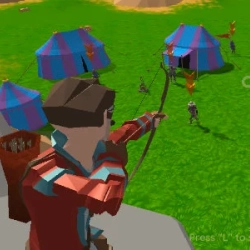
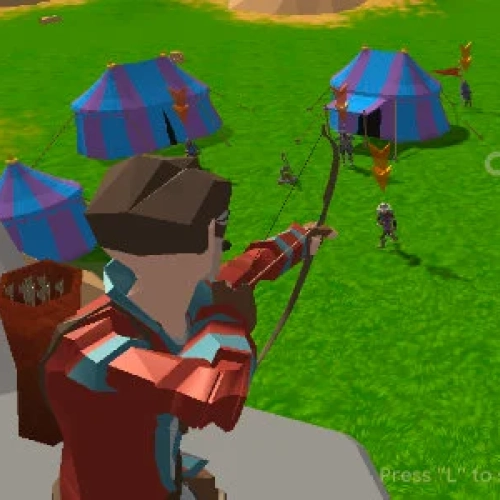
Archer Master 3D drops you on a castle wall with nothing but a bow, a quiver, and a horde sprinting your way. It’s tower defense, but you are the tower—lining up shots, timing releases, and praying the next wave doesn’t bring something meaner. The loop is clean: survive a round, grab coins, upgrade your gear, and go again. When you nail a headshot right before an enemy reaches the gate… chef’s kiss.
How it plays
Aim with your mouse (or swipe), hold to draw, release to fire. Longer draws hit harder, but fast taps save you when a lane floods. Waves mix enemy types, so you can’t autopilot: shielded brutes soak arrows, nimble rogues zig-zag like they’re late for class, and pesky ranged units chip your health if you tunnel-vision. Learn to track multiple lanes and pre-aim into a target’s path—shoot where they’re going, not where they are.
Upgrades that matter
Arrow Damage deletes threats before they snowball. Draw Speed is clutch for rapid follow-ups. Pierce turns tight lines into multi-kills (line up the conga line). Sprinkle Crit Chance once your base damage feels solid; crits turn clean releases into fireworks. Pro tip: don’t level everything at once—focus two stats to spike early, then round out as waves scale.
Win-more tips
Prioritize targets: ranged → fast → tanky. Kill what can actually end your run.
Reset your rhythm: if you miss two in a row, slow down for one perfect shot to break the push.
Use corners: shoot diagonally through packs to maximize pierce value.
Economy brain: buy meaningful upgrades, not shiny sidegrades—every coin is a future clutch.
Two related picks from our library:
• Archery World Tour — pure precision with distance and drift challenges.
• Stick Archers Battle — couch duels with hilarious arc shots and trick angles.
Ready to hold the wall in Archer Master 3D and flex that aim? Find more school-friendly hits at Classroom Center Gplus.
How it plays
Aim with your mouse (or swipe), hold to draw, release to fire. Longer draws hit harder, but fast taps save you when a lane floods. Waves mix enemy types, so you can’t autopilot: shielded brutes soak arrows, nimble rogues zig-zag like they’re late for class, and pesky ranged units chip your health if you tunnel-vision. Learn to track multiple lanes and pre-aim into a target’s path—shoot where they’re going, not where they are.
Upgrades that matter
Arrow Damage deletes threats before they snowball. Draw Speed is clutch for rapid follow-ups. Pierce turns tight lines into multi-kills (line up the conga line). Sprinkle Crit Chance once your base damage feels solid; crits turn clean releases into fireworks. Pro tip: don’t level everything at once—focus two stats to spike early, then round out as waves scale.
Win-more tips
Prioritize targets: ranged → fast → tanky. Kill what can actually end your run.
Reset your rhythm: if you miss two in a row, slow down for one perfect shot to break the push.
Use corners: shoot diagonally through packs to maximize pierce value.
Economy brain: buy meaningful upgrades, not shiny sidegrades—every coin is a future clutch.
Two related picks from our library:
• Archery World Tour — pure precision with distance and drift challenges.
• Stick Archers Battle — couch duels with hilarious arc shots and trick angles.
Ready to hold the wall in Archer Master 3D and flex that aim? Find more school-friendly hits at Classroom Center Gplus.
ARCHER MASTER 3D is free to play on Classroom Center G. It loads fast, runs in your browser and works on school Chromebooks — perfect for a quick 5–10 minute break.
How to play
WASD or arrow keys to move ### Space bar to jump ### Shift to run ### E to equip the bow ### Left mouse button to shoot, hold to draw the string harder ### Right mouse button to aim ### Mouse scroll or Z/X to zoom in/out ###


























Comments( 0 )