- Home
- Center G Games
- APPLE SHOOTER








































Center G · ClassroomCenterG.comThe place to play free games!
How was it?
About APPLE SHOOTER
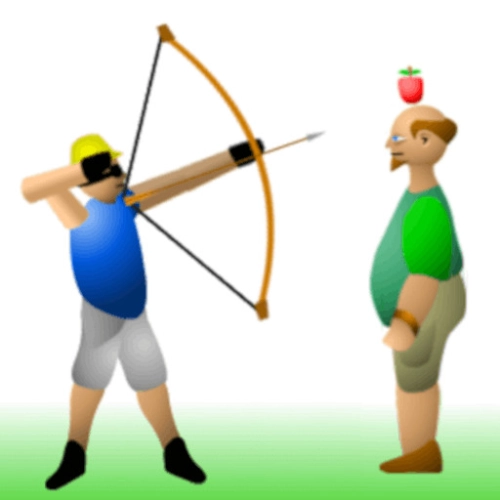
Apple Shooter is the kind of game that makes your hands sweaty and your mouse hand weirdly calm. It’s just you, a bow, your very brave buddy, and an apple that’s begging to be split in half. Each round pushes the target farther away, so you’re not spamming shots—you’re dialing in tiny tweaks like a pro. Miss high and you’re a hero. Miss low and… yeah, don’t miss low.
How it plays
You control two things that actually matter: angle and draw strength. Pull back for more power (less drop), nudge the angle for a tighter arc, and try to send the arrow peaking just above the apple before it drops perfectly center. Early stages feel friendly, but the distance ramps hard, which means you’ll start reading the shot by feel—how many pixels above the stem, how long you hold the draw, when to release.
What’s cool here
No gimmicks—just clean physics and pressure. When you nail a bullseye from way out, it’s because you learned the arc, not because the game tossed you a lucky crit. The sound/impact feedback is crisp, too, so you instantly know if your release was smooth or scuffed. It’s the ultimate “one more try” loop: reset, breathe, adjust, thwip.
Quick tips from the range
1) Aim a hair above the stem to cover for drop.
2) Exhale on release—sounds goofy, but it steadies your hand.
3) Keep a tiny notebook (or brain notes) of “angle + power” pairs that hit; reuse them with micro-adjustments as the distance grows.
4) If you’re missing high, lower the angle before touching power; if you’re missing low, add power first.
Two more precision challenges when you’re warmed up:
• Archery World Tour — staged targets, clean releases, super satisfying bullseyes.
• Mr Bullet — swap arrows for bounce-shot puzzles and trick angles.
Ready to split that apple like a legend? Dive into Apple Shooter and more school-friendly picks on ClassroomCenterG Games.
How it plays
You control two things that actually matter: angle and draw strength. Pull back for more power (less drop), nudge the angle for a tighter arc, and try to send the arrow peaking just above the apple before it drops perfectly center. Early stages feel friendly, but the distance ramps hard, which means you’ll start reading the shot by feel—how many pixels above the stem, how long you hold the draw, when to release.
What’s cool here
No gimmicks—just clean physics and pressure. When you nail a bullseye from way out, it’s because you learned the arc, not because the game tossed you a lucky crit. The sound/impact feedback is crisp, too, so you instantly know if your release was smooth or scuffed. It’s the ultimate “one more try” loop: reset, breathe, adjust, thwip.
Quick tips from the range
1) Aim a hair above the stem to cover for drop.
2) Exhale on release—sounds goofy, but it steadies your hand.
3) Keep a tiny notebook (or brain notes) of “angle + power” pairs that hit; reuse them with micro-adjustments as the distance grows.
4) If you’re missing high, lower the angle before touching power; if you’re missing low, add power first.
Two more precision challenges when you’re warmed up:
• Archery World Tour — staged targets, clean releases, super satisfying bullseyes.
• Mr Bullet — swap arrows for bounce-shot puzzles and trick angles.
Ready to split that apple like a legend? Dive into Apple Shooter and more school-friendly picks on ClassroomCenterG Games.
APPLE SHOOTER is free to play on Classroom Center G. It loads fast, runs in your browser and works on school Chromebooks — perfect for a quick 5–10 minute break.
How to play
Game is played with mouse.


























Comments( 0 )