







































Center G · ClassroomCenterG.comThe place to play free games!
How was it?
About 4X4 DRIVE OFFROAD
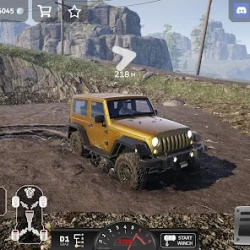
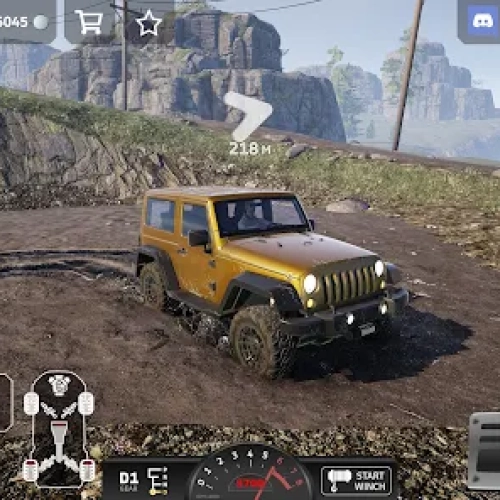
4x4 Drive Offroad is that game you open “just to test a hill” and then look up two hours later like, welp. It drops you into rough country full of ruts, rock steps, riverbeds, and crumbly inclines that punish sloppy lines. Every truck feels different: some are beefy crawlers built for low-speed grip, others are lighter and twitchy with better sprint speed. The whole vibe is figuring out the terrain like a puzzle—where’s the traction, what’s the safe angle, and how hard can you push before gravity says “nah.”
Controls & feel
Steer with precision and feather the throttle; big stabs just spin tires and bury you. Ease off before sharp ledges to settle the suspension, then re-apply power as you crest. The camera gives you clear sightlines—use it to spot your approach, not just your bumper. If you botch a climb, don’t rage: a quick reset gets you back experimenting instead of staring at a flipped chassis.
What you actually do
Pick routes, test lines, and learn how surfaces behave. Mud robs momentum, loose shale rolls under you, and wet rocks feel like soap if you turn too hard. The map encourages “mini-challenges” you set for yourself: no-damage creek crossings, tight switchbacks without reversing, or one-take summit runs. It’s low-pressure but super satisfying when you finally nail a climb that bullied you ten minutes ago.
Tips from the trail
Line before throttle: point the wheels where you want to go, then add power—never the other way around.
Cross ruts diagonally: it keeps both axles loading and avoids beaching the belly.
Use momentum, not speed: smooth inputs keep grip; panic gas makes slides.
Pause on the plateau: when you clear an obstacle, breathe, square up, then take the next one.
If you like this, try:
• Rally Champion — tight stages, clean lines, and time-attack focus.
• Racing Monster Trucks — big suspension, big bumps, and big air when you want to let loose.
Ready to crawl, slide, and conquer? Find 4x4 Drive Offroad and more on our homepage: Classroom G.
Controls & feel
Steer with precision and feather the throttle; big stabs just spin tires and bury you. Ease off before sharp ledges to settle the suspension, then re-apply power as you crest. The camera gives you clear sightlines—use it to spot your approach, not just your bumper. If you botch a climb, don’t rage: a quick reset gets you back experimenting instead of staring at a flipped chassis.
What you actually do
Pick routes, test lines, and learn how surfaces behave. Mud robs momentum, loose shale rolls under you, and wet rocks feel like soap if you turn too hard. The map encourages “mini-challenges” you set for yourself: no-damage creek crossings, tight switchbacks without reversing, or one-take summit runs. It’s low-pressure but super satisfying when you finally nail a climb that bullied you ten minutes ago.
Tips from the trail
Line before throttle: point the wheels where you want to go, then add power—never the other way around.
Cross ruts diagonally: it keeps both axles loading and avoids beaching the belly.
Use momentum, not speed: smooth inputs keep grip; panic gas makes slides.
Pause on the plateau: when you clear an obstacle, breathe, square up, then take the next one.
If you like this, try:
• Rally Champion — tight stages, clean lines, and time-attack focus.
• Racing Monster Trucks — big suspension, big bumps, and big air when you want to let loose.
Ready to crawl, slide, and conquer? Find 4x4 Drive Offroad and more on our homepage: Classroom G.
4X4 DRIVE OFFROAD is free to play on Classroom Center G. It loads fast, runs in your browser and works on school Chromebooks — perfect for a quick 5–10 minute break.
How to play
WASD or arrow keys: drive ### Enter to reset car ### C: camera ### M or N: change car ### T: slow mode ###
































Comments( 0 )